Cell output folded by the extension as this page runs, one section per option, with the cell that produced each.
Every fold below was produced by the extension as this page was rendered, from a cell that actually ran. The site sets these defaults in _quarto.yml:
extensions:collapse-output:method: luadefault-open:falsesummary-template:"{type} ({lines} lines)"summaries:stderr:"Warnings and errors"
Folding one cell
```{python}for i inrange(24):print(f"line {i}")```
Standard Output (24 lines)
line 0
line 1
line 2
line 3
line 4
line 5
line 6
line 7
line 8
line 9
line 10
line 11
line 12
line 13
line 14
line 15
line 16
line 17
line 18
line 19
line 20
line 21
line 22
line 23
The summary comes from summary-template: {type} resolves to the kind of output and {lines} to the number of lines behind the fold.
A summary of your own
```{python}for row in [(n, n * n, n **3) for n inrange(1, 13)]:print(f"{row[0]:>3}{row[1]:>5}{row[2]:>7}")```
output-summary beats both summaries and summary-template.
Starting open
```{python}print("This output starts visible.")print("The reader can fold it away.")```
Standard Output (2 lines)
This output starts visible.
The reader can fold it away.
output-open overrides the document’s default-open, which is false here.
Warnings and errors
Output on the error stream is folded separately, and takes its own summary.
```{python}import sysprint("A result on the standard stream.")print("Followed by a second line.")print("A warning on the error stream.", file=sys.stderr)```
Standard Output (2 lines)
A result on the standard stream.
Followed by a second line.
Warnings and errors
A warning on the error stream.
The error stream takes its summary from summaries.stderr, while the standard stream has no entry there and falls back to the template. Set output-types to fold only the kinds of output you name.
Rich output
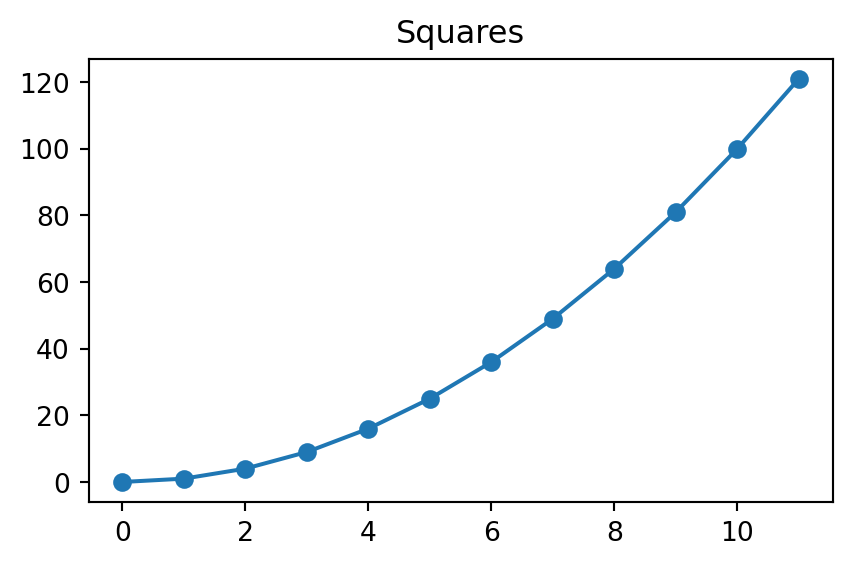
A plot is display output rather than console text, so it is folded under its own type.
```{python}import matplotlib.pyplot as pltfigure, axes = plt.subplots(figsize=(5, 3))axes.plot([n * n for n inrange(12)], marker="o")axes.set_title("Squares")plt.show()```
The figure
A template rather than fixed text
summary-template fills in {type} and {lines}, so a reader knows how much is behind the fold before they open it.
The cell below sets no summary of its own and no entry in summaries covers its type, so the template is used, and reports a shorter output than the first fold on this page:
```{python}for name in ["alpha", "beta", "gamma", "delta", "epsilon"]:print(name.upper())```
Standard Output (5 lines)
ALPHA
BETA
GAMMA
DELTA
EPSILON
{lines} counts lines of text, which suits console output. Rich display output is one block whatever it draws, so a figure reports a single line, or none when it carries no text of its own.
Folding everything
Rather than marking each cell, fold the lot and opt out where it matters:
Every cell then folds without being marked, and a cell that should stay visible opts out with #| output-fold: false.
The setting covers a whole document, so this page does not use it: it would fold the cells above whether or not they marked themselves, and there would be nothing left to show.
Pair collapse-all-outputs with auto-collapse-size to fold only what is actually long: