Output and files
Shared code, external files, and where the images land.
A shared preamble
preamble puts Typst code ahead of every block, so a document defines its helpers once. It takes code, a path to a .typ file, or a list of either:
extensions:
  typst-render:
    preamble: "_typst/preamble.typ"
The file beside this page defines one badge function:
#let badge(body, fill: teal) = box(
  fill: fill.lighten(70%),
  radius: 4pt,
  inset: (x: 8pt, y: 5pt),
  text(size: 11pt, body),
)
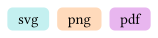
Every block can then call it:
```{typst}
//| preamble: "_typst/preamble.typ"
#stack(dir: ltr, spacing: 6pt, badge[svg], badge(fill: orange)[png], badge(fill: purple)[pdf])
```
A path is resolved against the document directory, and a leading / means the project root. Short code is written straight into the option instead:
extensions:
  typst-render:
    preamble: "#set text(font: \"Inter\", size: 12pt)"
An external file
file compiles a .typ file in place of the body of the block, so a figure kept beside the document needs no copy in the text:
```{typst}
//| file: "_typst/diagram.typ"
```
The body of such a block is ignored. Every other option still applies, so the file can be labelled, captioned, and aligned like any block.
Multi-page output
A block that produces several pages is included page by page. pages selects them, and layout-ncol arranges them side by side:
```{typst}
//| width: 5cm
//| height: 3cm
//| pages: all
//| layout-ncol: "3"
#align(center + horizon)[Page 1]
#pagebreak()
#align(center + horizon)[Page 2]
#pagebreak()
#align(center + horizon)[Page 3]
```
pages accepts all, one number, a range such as 1-3, a set such as 2,5, and an open range such as 3-. Without layout-ncol the pages are stacked vertically.
Both options need one file per page, which PNG and SVG give. A PDF block compiles to a single file, so neither option has any effect on it.
Input variables
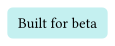
input passes key-value pairs to the Typst compiler, which reads them through sys.inputs. On a block the pairs are comma-separated:
```{typst}
//| input: "release=beta"
#let release = sys.inputs.at("release", default: "none")
#box(fill: teal.lighten(70%), radius: 4pt, inset: 8pt)[Built for #release]
```
Globally it is a map, and every block of the document reads the same pairs:
extensions:
  typst-render:
    input:
      release: beta
Use .at(name, default: ...), because a missing input stops the compilation.
Where the images land
Compiled images are written under ./assets/typst-render, relative to the document, in a subdirectory named after it. The figures on this page sit in examples/assets/typst-render/output-and-files/. Three options change that:
| Option | What it does |
|---|---|
output-directory |
Where images are written. An empty string writes none, which leaves them in the render cache, where a deployed site cannot reach them. |
output-filename |
Names the image for one block. A leading / means the project root; anything else is resolved against output-directory, without the per-document subdirectory. |
output-source |
Writes the compiled Typst source beside each image, with the same stem and a .typ extension. |
Without output-filename, the name comes from the label of the block, or from its position in the document.
The cache
Compiled images are cached between renders, so a block that has not changed is not compiled again. The key covers the source, the merged options, and the contents of every local .typ file the block imports or includes.
It does not cover data read while Typst compiles. Set cache: false on a block that calls read(), json(), csv(), or image(), so a change to that data reaches the page.
Caching is on by default. Set cache-refresh: true to remove stale files of the current output format after each render. That option is global: on a block it is dropped, with a warning.
Native Typst output
output: asis passes the code through to the Typst writer instead of compiling an image, so Typst output receives real Typst:
```{typst}
//| output: asis
#circle(radius: 1cm, fill: blue)
```
Every other writer compiles an image, as usual. With output: asis the width and height options are ignored, and margin becomes the inset of the block.