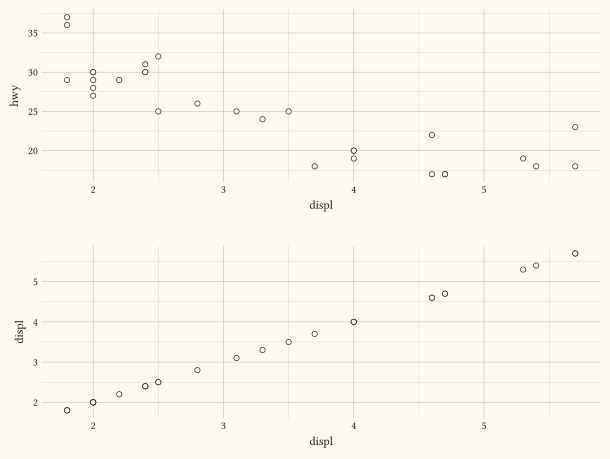
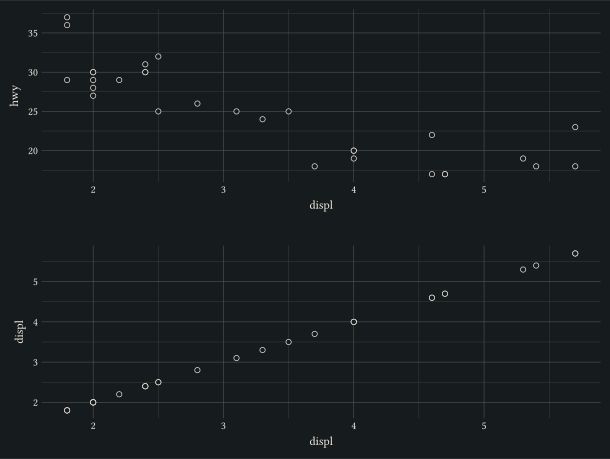
compose
Arrange multiple plots into a grid or stack with a shared, hoisted legend.
compose is the multi-plot orchestrator: it takes deferred plots, probes each panel’s would-be guides, decides which legends are identical across every panel, lifts them into a single shared block on the requested side, and re-renders the panels with the hoisted aesthetics suppressed so each reclaims the margin its legend would have occupied. Inspired by patchwork::plot_layout(guides = "collect").
Every positional argument must be a deferred panel built with defer (defer(plot, ...) or, for nesting, defer(compose, ...)); passing a rendered plot panics, because compose needs the spec to re-render. Panels omit their own width/height: compose sizes each cell.
Usage
compose(
  ..panels-positional,
  layout: "grid",
  columns: 2,
  direction: ttb,
  gutter: 0.5cm,
  widths: none,
  heights: none,
  width: auto,
  height: auto,
  collect: auto,
  guides: (:),
  labels: none,
  theme: none,
  tag-levels: none,
  tag-prefix: "",
  tag-suffix: "",
  tag-sep: "",
  tag-corner: "top-left",
  align-panels: false,
  alt: none,
  as-spec: false,
)
Parameters
| Parameter | Default | Description |
|---|---|---|
..panels-positional |
Two or more deferred panels built with defer (defer(plot, ...), or defer(compose, ...) to nest a composition). Order is preserved by the layout (left-to-right, top-to-bottom for grids; per dir for stacks). |
|
layout |
"grid" |
"grid" (default) lays panels into a Typst grid with columns columns; "stack" lays them into a Typst stack flowing in dir. |
columns |
2 |
Number of columns in "grid" layout. Ignored for "stack". |
direction |
ttb |
Stack direction (ttb, btt, ltr, rtl) used by "stack" layout. Ignored for "grid". |
gutter |
0.5cm |
Spacing between panels and between the panel block and the shared legend. A length (e.g., 0.5cm) applies to both axes, or a dictionary (x:, y:) sets the column and row gaps independently (a missing key falls back to 0.5cm). |
widths |
none |
Relative column widths (grid) or panel widths along a horizontal stack, as an array of weights (e.g., (2, 1)). They set the relative cell proportions; panels always fill their cells. Length must match the column count. |
heights |
none |
Relative row heights (grid) or panel heights along a vertical stack. Same rules as widths; length must match the row count. |
width |
auto |
Total composition width. auto (default) fills the available width of a bounded container (resolved through Typst layout); when the container is unbounded, it falls back to 16cm. Panels fill the cells carved from this width. |
height |
auto |
Total composition height. Same semantics as width, with a 12cm fallback when the container is unbounded. |
collect |
auto |
Which aesthetics to hoist into the shared legend. - auto (default) hoists every aesthetic whose guide is identical across all panels (kind, title, levels/domain, breaks, labels, aesthetic mix). Aesthetics that disagree on any of those fields stay per-plot, so a mismatched panel never silently borrows another panel’s legend. - none disables hoisting entirely; each plot keeps its own legends. - An array of aesthetic names (e.g., ("colour", "fill")) restricts hoisting to the listed aesthetics. Listed aesthetics that aren’t mergeable across panels still stay per-plot; non-listed aesthetics are never hoisted regardless of agreement. The merge predicate ignores per-panel placement, grid shape (nrow / ncol), and legend styling; compose forces a single shared side and grid layout for the hoisted block, and builds it under the composition’s theme. Custom guides (guide-custom) never hoist. |
guides |
(:) |
Per-aesthetic guide overrides applied to the collected legend, built with guides, exactly as for plot. The collected legend’s side comes from here: set it per aesthetic via guide-legend(position: ...) or for all at once via guides(default: guide-legend(position: ...)). All collected guides must resolve to one side, otherwise compose panics. Defaults to the guides’ natural side ("right"). |
labels |
none |
Composition-level labels built with labels; only title, subtitle, and caption apply (panel-level labels stay on each plot). They reuse the same chrome as a single plot, so a composition reads like one figure. |
theme |
none |
Theme object such as theme-grey, theme-minimal, or theme-classic, controlling the composition’s non-data ink: its labels, the hoisted shared legend, and panel tags. When set, it also propagates into panels that declare no theme of their own (a panel with its own theme keeps it, and a nested composition inherits it recursively); otherwise the theme shared by every panel is used, falling back to the global theme set with theme-set, else the default. The hoisted legend is built under this theme, so its key size, its side, and its text all follow the composition. A panel theme styles that panel alone. |
tag-levels |
none |
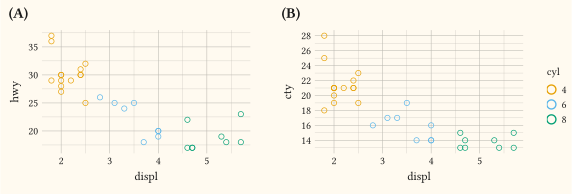
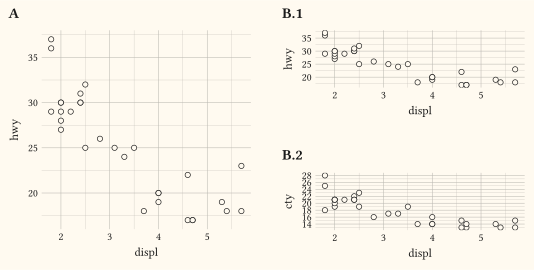
Per-panel tag numbering. A single code numbers this composition’s panels in layout order; an array of codes assigns one code per nesting depth: top-level panels take the first code (A, B, …) and a nested compose panel’s own panels continue with the next code, joined by tag-sep. So with ("A", "1") a top-level leaf is A while a sibling nested compose (the second panel, B) tags its panels B.1, B.2. Each code is "A" / "a" (latin), "1" (arabic), or "I" / "i" (roman); none (default) draws no tags. When set, this composition’s tag-levels drives any nested compose and overrides its own. |
tag-prefix |
"" |
String placed before each generated tag symbol (e.g. "("). |
tag-suffix |
"" |
String placed after each generated tag symbol (e.g. ")" or "."). |
tag-sep |
"" |
Separator inserted between nested tag levels (e.g., "." gives A.1). Ignored for a single-level tag-levels. |
tag-corner |
"top-left" |
Corner of each panel where its tag sits: "top-left" (default), "top-right", "bottom-left", or "bottom-right". Styled by the theme’s plot-tag element. |
align-panels |
false |
When true, share plot margins grid-wise so plot areas line up: panels in the same column share their left and right margins (the per-column maximum), panels in the same row share their top and bottom margins (the per-row maximum), like patchwork/cowplot panel alignment. Defaults to false, where each panel sizes its own margins from its axis labels and titles. Nested compose panels already grid-align internally and are left untouched. |
alt |
none |
Alt text for the whole composition. When set, the result is wrapped in a figure (kind "gribouille-plot") carrying this PDF alternative text, exactly as plot does. |
as-spec |
false |
Internal switch driven by defer: when true, return a compose spec dict instead of content so this composition can be passed as a panel to another compose. Use defer(compose, ...) rather than setting this directly. Guide collection stays per level (a nested compose draws its own collected legend); only tag numbering descends across nesting. |
Returns
Typst content block: the panel layout with the shared legend and any composition labels, or the bare panel layout when no aesthetic ends up hoisted; wrapped in a figure when alt is set. Returns a spec dict when as-spec: true.
Examples
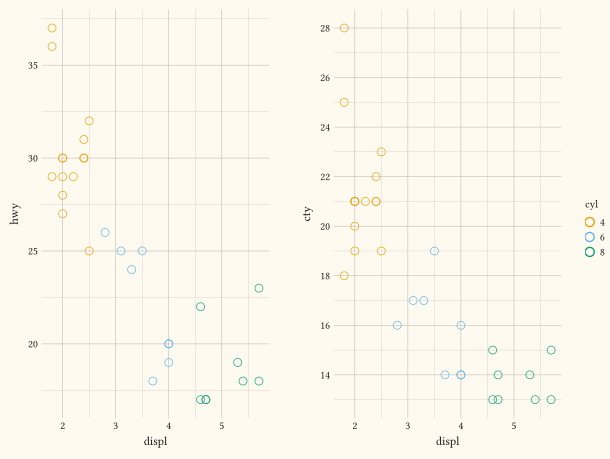
Auto-collect: identical colour legend hoisted to the right.
#let panel(map) = defer(plot,
  data: mpg, mapping: map,
  layers: (geom-point(size: 3pt),),
)
#compose(
  panel(aes(x: "displ", y: "hwy", colour: as-factor("cyl"))),
  panel(aes(x: "displ", y: "cty", colour: as-factor("cyl"))),
  layout: "grid", columns: (auto, auto),
)
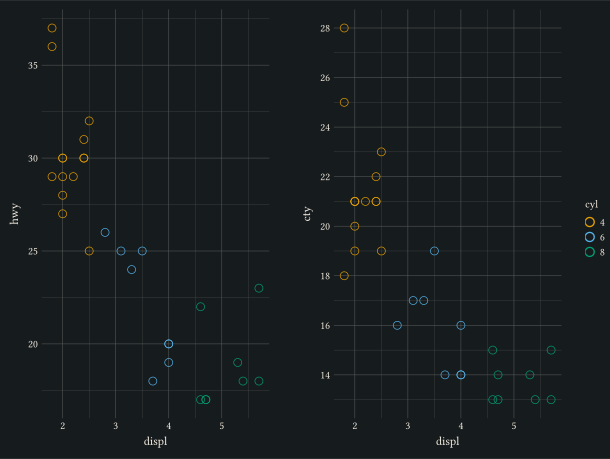
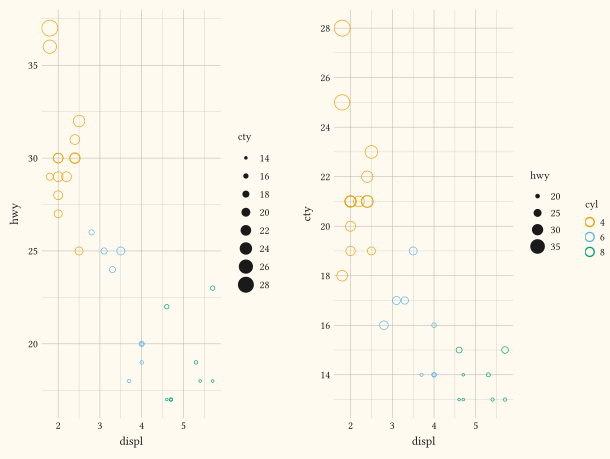
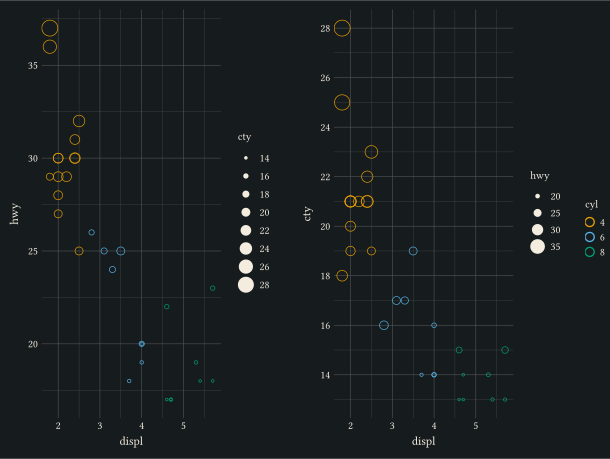
Restrict hoisting: shared colour only, per-plot size ladders stay in each panel.
#let panel(map) = defer(plot,
  data: mpg, mapping: map,
  layers: (geom-point(),),
)
#compose(
  panel(aes(x: "displ", y: "hwy", colour: as-factor("cyl"), size: "cty")),
  panel(aes(x: "displ", y: "cty", colour: as-factor("cyl"), size: "hwy")),
  layout: "grid", columns: (auto, auto),
  collect: ("colour",),
)
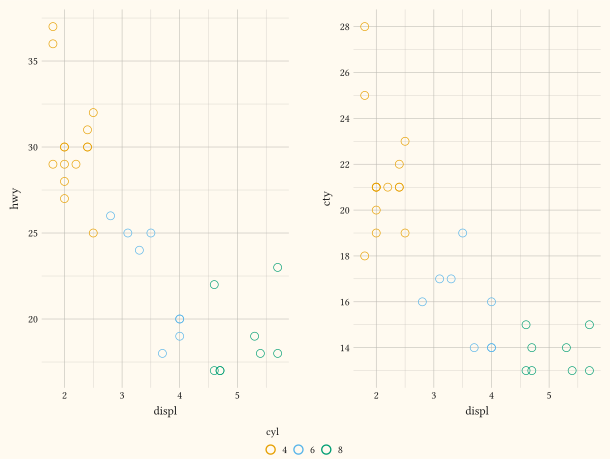
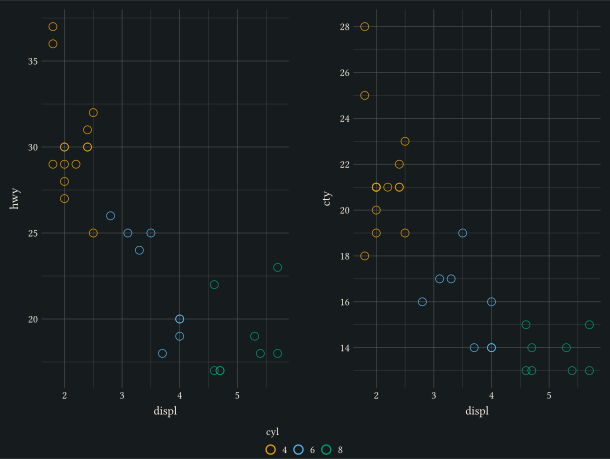
Place the shared legend below the panels.
#let panel(map) = defer(plot,
  data: mpg, mapping: map,
  layers: (geom-point(size: 3pt),),
)
#compose(
  panel(aes(x: "displ", y: "hwy", colour: as-factor("cyl"))),
  panel(aes(x: "displ", y: "cty", colour: as-factor("cyl"))),
  layout: "grid", columns: (auto, auto),
  guides: guides(default: guide-legend(position: "bottom")),
)
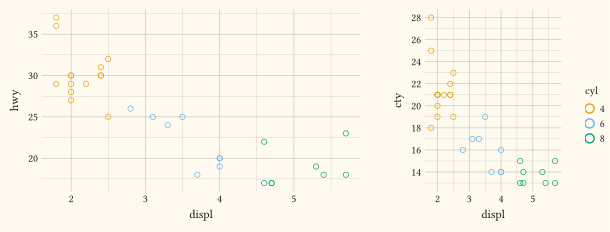
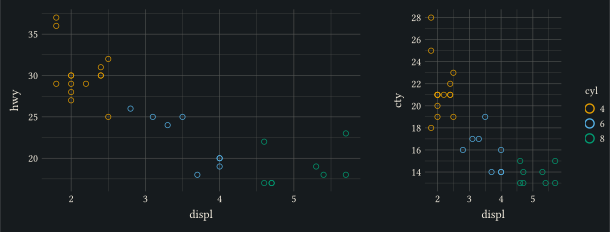
Size the composition to a bounded box and split the two panels 2:1 with widths.
#let panel(map) = defer(plot,
  data: mpg, mapping: map,
  layers: (geom-point(size: 2pt),),
)
#box(width: 16cm, height: 6cm, compose(
  panel(aes(x: "displ", y: "hwy", colour: as-factor("cyl"))),
  panel(aes(x: "displ", y: "cty", colour: as-factor("cyl"))),
  columns: 2, widths: (2, 1),
))
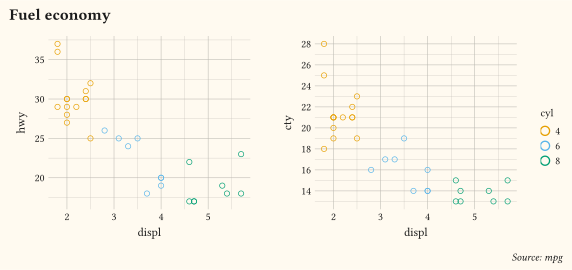
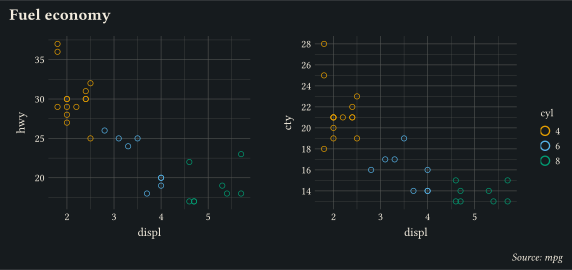
Give the composition its own title and caption with labels.
#let panel(map) = defer(plot,
  data: mpg, mapping: map,
  layers: (geom-point(size: 2pt),),
)
#box(width: 15cm, height: 7cm, compose(
  panel(aes(x: "displ", y: "hwy", colour: as-factor("cyl"))),
  panel(aes(x: "displ", y: "cty", colour: as-factor("cyl"))),
  columns: 2,
  labels: labels(title: "Fuel economy", caption: "Source: mpg"),
))
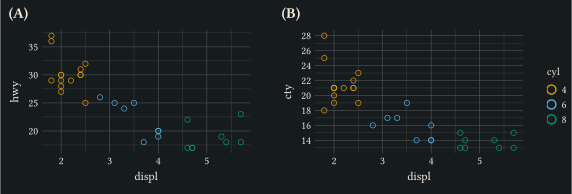
Number the panels (A), (B), … in the top-left corner with a tag pattern.
#let panel(map) = defer(plot,
  data: mpg, mapping: map,
  layers: (geom-point(size: 2pt),),
)
#box(width: 15cm, height: 5cm, compose(
  panel(aes(x: "displ", y: "hwy", colour: as-factor("cyl"))),
  panel(aes(x: "displ", y: "cty", colour: as-factor("cyl"))),
  columns: 2,
  tag-levels: "A", tag-prefix: "(", tag-suffix: ")",
))
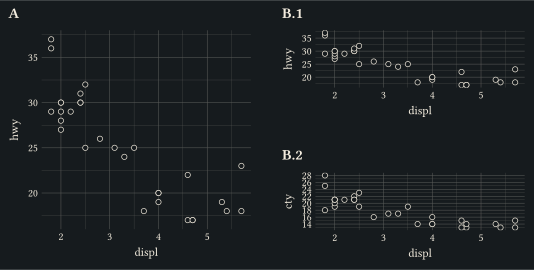
Nest a deferred compose as a panel; tag-levels: ("A", "1") numbers the left leaf panel A and the nested column B.1, B.2.
#let p(map) = defer(plot,
  data: mpg, mapping: map,
  layers: (geom-point(size: 2pt),),
)
#let inner = defer(compose,
  p(aes(x: "displ", y: "hwy")),
  p(aes(x: "displ", y: "cty")),
  columns: 1,
)
#box(width: 14cm, height: 7cm, compose(
  p(aes(x: "displ", y: "hwy")),
  inner,
  columns: 2,
  tag-levels: ("A", "1"), tag-sep: ".",
))
Align the panels: align-panels: true forces a shared margin so the y axes line up even when the panels’ label widths differ.
#let p(map) = defer(plot,
  data: mpg, mapping: map,
  layers: (geom-point(size: 2pt),),
)
#compose(
  p(aes(x: "displ", y: "hwy")),
  p(aes(x: "displ", y: "displ")),
  columns: 1, align-panels: true,
)