labels
Build a label dictionary for the plot title, subtitle, caption, and axes.
Pass the result to plot as the labels argument. Axis names (x, y, colour, fill, …) override the corresponding scale name at render time, so legends and axis titles pick them up.
Every field defaults to auto: the label is derived from the scale or mapping (axis and legend titles) or simply omitted (title, subtitle, caption, tag, alt). Pass none to suppress a label explicitly and collapse the space it would otherwise reserve.
Usage
labels(
  title: auto,
  subtitle: auto,
  caption: auto,
  tag: auto,
  alt: auto,
  x: auto,
  y: auto,
  colour: auto,
  fill: auto,
  size: auto,
  alpha: auto,
  linewidth: auto,
  shape: auto,
  linetype: auto,
  stroke: auto,
)
Parameters
| Parameter | Default | Description |
|---|---|---|
title |
auto |
Plot title drawn above the panel. |
subtitle |
auto |
Smaller line drawn below the title. |
caption |
auto |
Caption line drawn below the panel. |
tag |
auto |
Optional tag (e.g., a figure number) drawn above the title. |
alt |
auto |
Alt text kept on the spec for accessibility tooling. |
x |
auto |
Title for the x axis. |
y |
auto |
Title for the y axis. |
colour |
auto |
Legend title for the colour aesthetic. |
fill |
auto |
Legend title for the fill aesthetic. |
size |
auto |
Legend title for the size aesthetic. |
alpha |
auto |
Legend title for the alpha aesthetic. |
linewidth |
auto |
Legend title for the linewidth aesthetic. |
shape |
auto |
Legend title for the shape aesthetic. |
linetype |
auto |
Legend title for the linetype aesthetic. |
stroke |
auto |
Legend title for the stroke aesthetic. |
Returns
Dictionary tagged kind: "labels", consumed by plot.
Examples
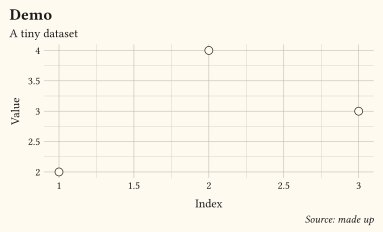
Title block plus axis titles passed via labels.
#let d = (
  (x: 1, y: 2),
  (x: 2, y: 4),
  (x: 3, y: 3),
)
#plot(
  data: d,
  mapping: aes(x: "x", y: "y"),
  layers: (geom-point(size: 3pt),),
  labels: labels(
    title: "Demo",
    subtitle: "A tiny dataset",
    caption: "Source: made up",
    x: "Index",
    y: "Value",
  ),
  width: 10cm,
  height: 6cm,
)
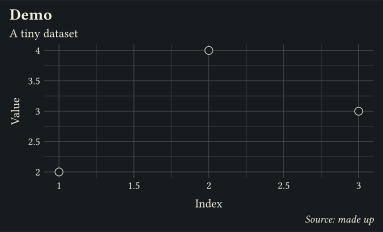
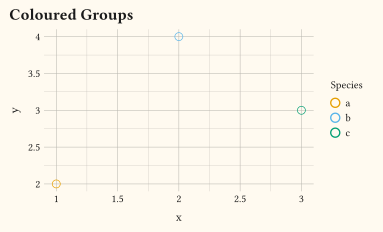
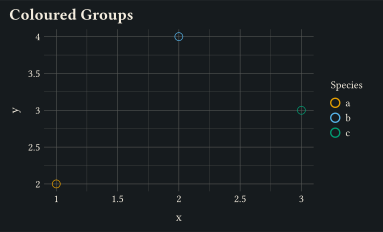
Setting an aesthetic name (colour) overrides the legend title; alt text is stored on the spec for accessibility tooling.
#let d = (
  (x: 1, y: 2, sp: "a"),
  (x: 2, y: 4, sp: "b"),
  (x: 3, y: 3, sp: "c"),
)
#plot(
  data: d,
  mapping: aes(x: "x", y: "y", colour: "sp"),
  layers: (geom-point(size: 3pt),),
  labels: labels(
    title: "Coloured Groups",
    colour: "Species",
    alt: "Three points coloured by species",
  ),
  width: 10cm,
  height: 6cm,
)
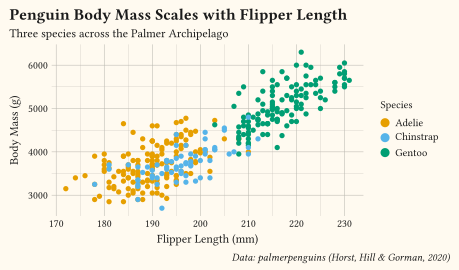
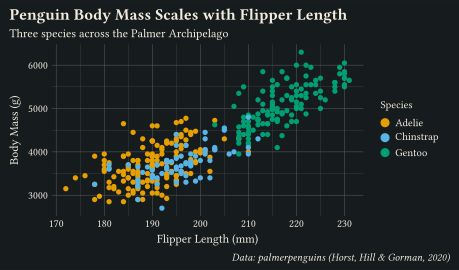
Full label block on the penguins scatter: title, subtitle, caption, axis titles, and a legend title for the fill aesthetic.
#plot(
  data: penguins,
  mapping: aes(x: "flipper-len", y: "body-mass", fill: "species"),
  layers: (geom-point(size: 2pt, alpha: 0.85),),
  labels: labels(
    title: "Penguin Body Mass Scales with Flipper Length",
    subtitle: "Three species across the Palmer Archipelago",
    caption: "Data: palmerpenguins (Horst, Hill & Gorman, 2020)",
    x: "Flipper Length (mm)",
    y: "Body Mass (g)",
    fill: "Species",
    alt: "Scatter of body mass against flipper length, coloured by species.",
  ),
  width: 12cm,
  height: 7cm,
)
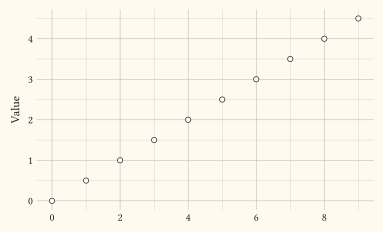
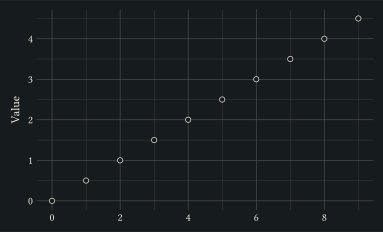
Pass none to suppress a label and reclaim its space; here the x-axis title is dropped and the panel grows into the freed area while the y-axis title stays.
#let d = range(0, 10).map(i => (x: i, y: i * 0.5))
#plot(
  data: d,
  mapping: aes(x: "x", y: "y"),
  layers: (geom-point(size: 2pt),),
  labels: labels(x: none, y: "Value"),
  width: 10cm,
  height: 6cm,
)
See also
plot.