Troubleshooting
This guide helps you resolve common issues with Quarto Wizard.
Viewing the Output Log
The first step in troubleshooting is to check the output log:
- Open the Command Palette (
Ctrl+Shift+PorCmd+Shift+Pon macOS). - Run
Quarto Wizard: Show Quarto Wizard Log Output. - Review the log for error messages or warnings.
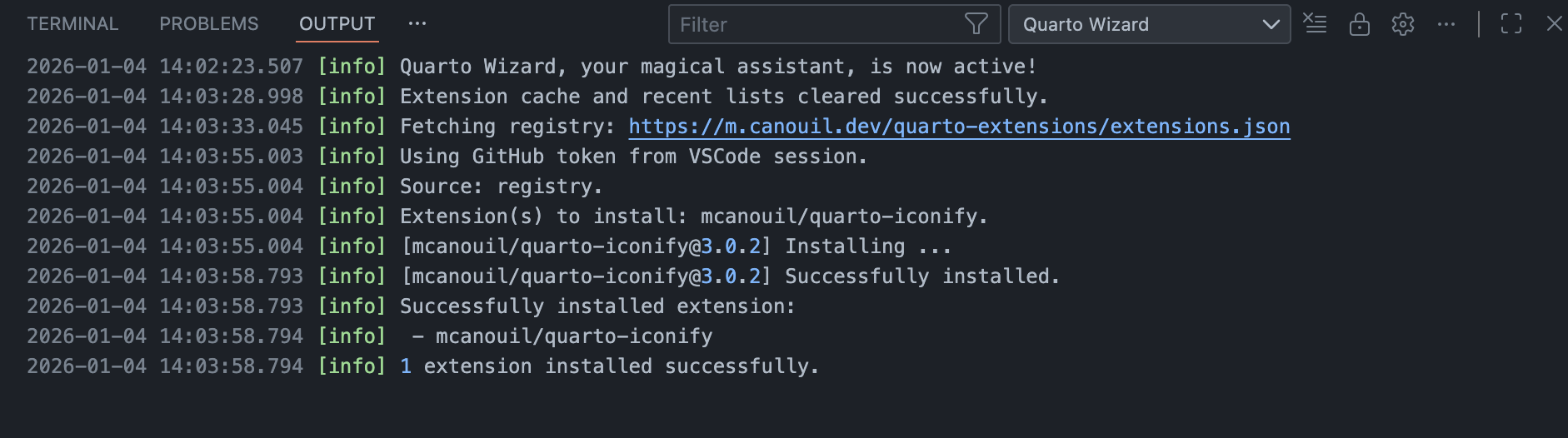
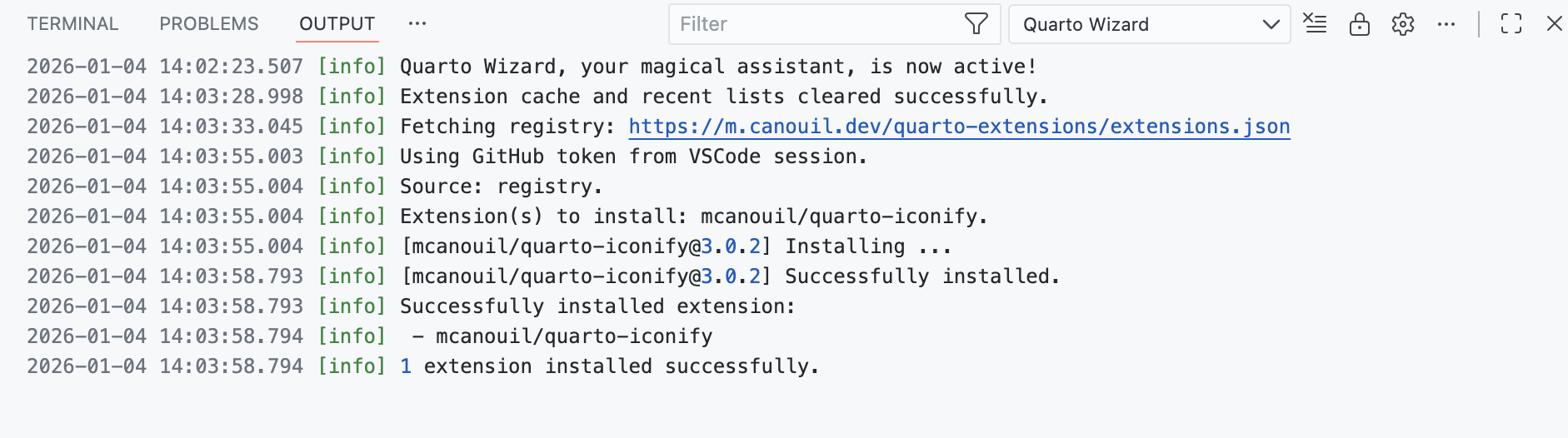
Quarto Wizard logs through a VS Code log output channel, so verbosity is set with the Developer: Set Log Level command rather than a Quarto Wizard setting. Choose Debug for the Quarto Wizard channel to see details such as the folders skipped during project detection.
Common Issues
Extensions Not Loading
Symptoms: The extension browser is empty or shows an error.
Solutions:
- Check your internet connection.
- Verify the registry URL in settings is correct.
- Clear the extension cache:
Quarto Wizard: Clear Extension Cache. - Check the output log for specific error messages.
Installation Fails
Symptoms: Extension installation reports an error.
Solutions:
- Check the output log for the specific error.
- Verify you have write permissions to the workspace folder.
- Ensure the
_extensionsdirectory is not locked by another process. - For GitHub-hosted extensions, check if the repository exists and is accessible.
Update Detection Not Working
Symptoms: Extensions don’t show as having updates available.
Causes:
- The extension was not installed by Quarto Wizard.
- The extension’s
_extension.ymllacks asourcefield.
Solutions:
- Manually add
source: owner/repository(full specification:source: owner/repository/subdirectory@referencewherereferenceis a Git branch, tag, or commit SHA) to the extension’s_extension.yml. - Reinstall the extension using Quarto Wizard.
Extensions Install in the Wrong Folder
Symptoms: A subfolder is not offered as an install target, or extensions land at the workspace root instead of the subproject you expected.
Causes:
- The workspace folder itself holds at least one installed extension in
_extensions/, which makes it the only target. - The subfolder is matched by the workspace folder’s
.quartoignore. quartoWizard.autoProjectDetectionis set tofalse, or to a mode that does not reach the folder.
Solutions:
- Review Auto Project Detection and pick the scanning mode that matches your layout.
- Remove the entry from
.quartoignoreif the folder should be a target after all. - In an extension development repository, keep the vendored copy (for example
docs/_extensions/) out of the way by leaving the root_extensions/populated, which is the intended behaviour.
GitHub Rate Limiting
Symptoms: “Rate limit exceeded” errors.
Solutions:
- Configure GitHub authentication (see Installation).
- Wait for the rate limit to reset (usually one hour).
- Use
Quarto Wizard: Set GitHub Token (Manual)to add a personal access token.
Extensions Not Appearing in Explorer View
Symptoms: Installed extensions don’t show in the Explorer View.
Solutions:
- Click the Refresh button in the Explorer View toolbar.
- Ensure the extensions are in the
_extensionsdirectory. - Check that each extension has a valid
_extension.ymlfile.
Compatibility Warning in Explorer View
Symptoms: An extension shows a warning icon and Compatibility: incompatible in extension details.
Solutions:
- Expand the extension item and review the
Quarto requiredandCompatibilityrows (see Explorer View). - Update Quarto to a version that satisfies the extension’s
quarto-requiredconstraint. - Install a different extension version that supports your current Quarto version.
- Click Refresh in the Explorer View toolbar after updating your environment.
Schema (invalid) or Snippets (invalid) in Explorer View
Symptoms: An extension shows Schema (invalid) or Snippets (invalid) nodes.
Solutions:
- Open the extension files in
_extensions/<extension-id>/and validate_schema.yml/_schema.yaml/_schema.jsonor_snippets.json. - Fix malformed YAML or JSON content, then save the file.
- Refresh the Explorer View if the tree does not update automatically.
- Check the Quarto Wizard output log for parse and validation details.
Getting Help
If you cannot resolve your issue:
- Search existing discussions and issues on GitHub Discussions and GitHub Issues.
- Ask a question or share feedback using the Discussion chooser to select the appropriate category.
- Report a bug using the Issue chooser and provide the following details:
- A description of the problem.
- Steps to reproduce.
- The output log.
- Your VS Code and Quarto versions.
Please use the chooser menus to select the right place for your request. This ensures efficient handling and helps maintainers respond appropriately.
Verifying Release Integrity
To verify the authenticity of a downloaded release:
Terminal
gh attestation verify quarto-wizard-<version>.vsix --repo mcanouil/quarto-wizard