coord-cartesian
Cartesian coordinate system with optional panel clipping.
Clipping via x-limits/y-limits preserves the trained scales; rows outside are still used for training but drawn off-panel.
Usage
coord-cartesian(
  x-limits: none,
  y-limits: none,
  expand: true,
  clip: true,
)
Parameters
| Parameter | Default | Description |
|---|---|---|
x-limits |
none |
Pair (lo, hi) clipping the drawn x range, or none. |
y-limits |
none |
Pair (lo, hi) clipping the drawn y range, or none. |
expand |
true |
Whether to add a small margin around the data range. |
clip |
true |
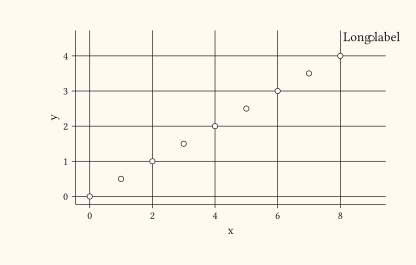
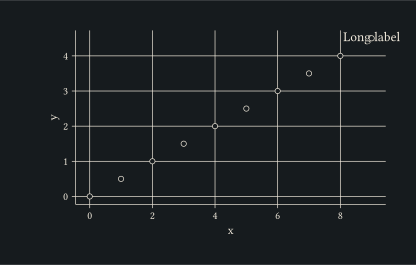
Set to false to let geoms (typically annotations) draw past the panel rectangle. Defaults to true. |
Returns
Coordinate dictionary consumed by plot.
Examples
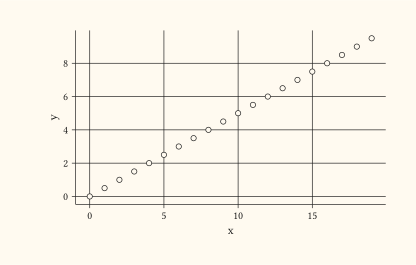
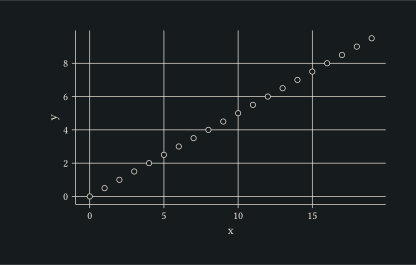
Clip the drawn panel without dropping rows from training.
#let d = range(0, 20).map(i => (x: i, y: i * 0.5))
#plot(
  data: d,
  mapping: aes(x: "x", y: "y"),
  layers: (geom-point(size: 2pt),),
  coord: coord-cartesian(x-limits: (2, 15), y-limits: (0, 8)),
  width: 10cm,
  height: 6cm,
)
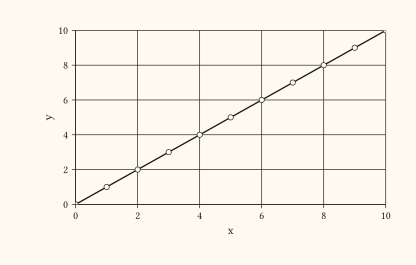
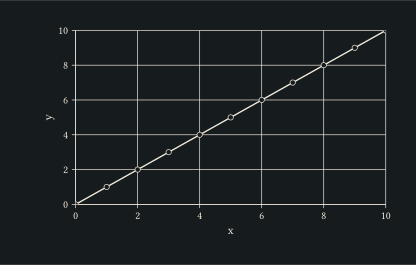
Disabling expand removes the default margin so axis lines hug the data range.
#let d = range(0, 11).map(i => (x: i, y: i))
#plot(
  data: d,
  mapping: aes(x: "x", y: "y"),
  layers: (geom-line(stroke: 1pt), geom-point(size: 2pt)),
  coord: coord-cartesian(expand: false),
  width: 10cm,
  height: 6cm,
)
Set clip: false so an annotation placed at the data edge can extend past the panel rectangle.
#let d = range(0, 10).map(i => (x: i, y: i * 0.5))
#plot(
  data: d,
  mapping: aes(x: "x", y: "y"),
  layers: (
    geom-point(size: 2pt),
    annotate("typst", x: 9, y: 4.5, label: [Long label]),
  ),
  coord: coord-cartesian(clip: false),
  width: 10cm,
  height: 6cm,
)