col-mix
Blend two colours.
amount is the fraction of col2 (0 = pure col1, 1 = pure col2). Mixing happens in sRGB so col-mix(black, white, 0.92) returns grey92.
Usage
col-mix(
  col1,
  col2,
  amount,
)
Parameters
| Parameter | Default | Description |
|---|---|---|
col1 |
Base colour. | |
col2 |
Colour to blend in. | |
amount |
Fraction of col2 in the result (0 to 1). |
Returns
Blended colour.
Examples
Inline blending: half-mix two brand colours.
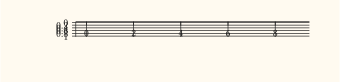
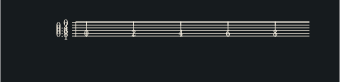
#let purple = col-mix(rgb("#1f77b4"), rgb("#d62728"), 0.5)Sweeping amount from 0 to 1 produces a custom two-stop ramp, rendered as a swatch via geom-rect.
#let stops = range(0, 9).map(i => col-mix(
  rgb("#1f77b4"), rgb("#d62728"), i / 8,
))
#let d = stops.enumerate().map(((i, _)) => (
  xmin: i, xmax: i + 1, ymin: 0, ymax: 1, k: str(i),
))
#plot(
  data: d,
  mapping: aes(xmin: "xmin", xmax: "xmax", ymin: "ymin", ymax: "ymax", fill: "k"),
  layers: (geom-rect(),),
  scales: (scale-fill-manual(values: stops),),
  guides: guides(fill: guide-none()),
  width: 8cm,
  height: 1cm,
)