format-number
Format a numeric break with optional thousands separator and decimals.
Returns a closure suitable for scale-*(labels: ...). Non-numeric values pass through str().
Usage
format-number(
  big-mark: ",",
  decimal-mark: ".",
  digits: auto,
  prefix: "",
  suffix: "",
)
Parameters
| Parameter | Default | Description |
|---|---|---|
big-mark |
"," |
Thousands separator (e.g., "," for English). |
decimal-mark |
"." |
Decimal separator (e.g., "." for English). |
digits |
auto |
Decimal digits to keep, or auto to drop trailing zeros. |
prefix |
"" |
String prepended to every formatted value. |
suffix |
"" |
String appended to every formatted value. |
Returns
A closure value => string.
Examples
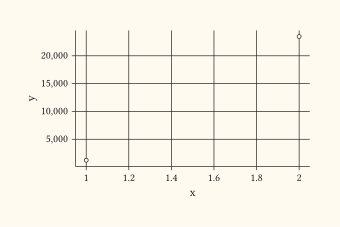
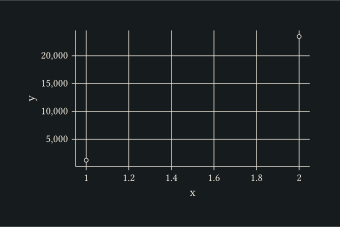
Format y-axis breaks with English thousands separators.
#plot(
  data: ((x: 1, y: 1234.5), (x: 2, y: 23456.7)),
  mapping: aes(x: "x", y: "y"),
  layers: (geom-point(),),
  scales: scales(y: scale-continuous(labels: format-number())),
  width: 8cm,
  height: 5cm,
)