position-nudge
Shift every row’s x and y by a fixed amount in data units.
Usage
position-nudge(
  x: 0,
  y: 0,
)
Parameters
| Parameter | Default | Description |
|---|---|---|
x |
0 |
Offset added to the x value of each row, in data units on a continuous scale and in level units on a discrete one. |
y |
0 |
Offset added to the y value of each row, in data units on a continuous scale and in level units on a discrete one. |
Returns
Position dictionary with name: "nudge", consumed by plot.
Examples
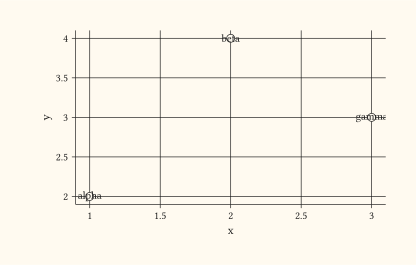
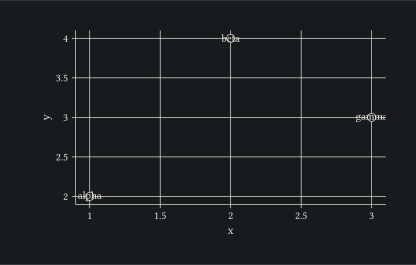
Offset text labels above their points using a default position-nudge().
#let d = (
  (x: 1, y: 2, lab: "alpha"),
  (x: 2, y: 4, lab: "beta"),
  (x: 3, y: 3, lab: "gamma"),
)
#plot(
  data: d,
  mapping: aes(x: "x", y: "y", label: "lab"),
  layers: (
    geom-point(size: 3pt),
    geom-text(position: "nudge"),
  ),
  width: 10cm,
  height: 6cm,
)
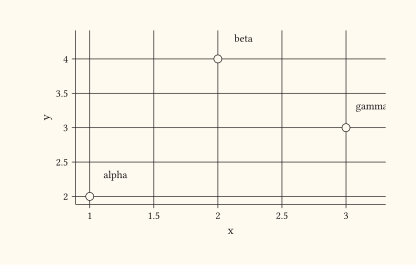
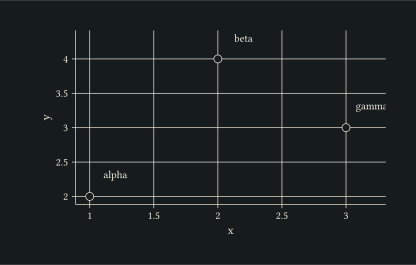
Pass explicit x and y offsets to flow labels diagonally off the points.
#let d = (
  (x: 1, y: 2, lab: "alpha"),
  (x: 2, y: 4, lab: "beta"),
  (x: 3, y: 3, lab: "gamma"),
)
#plot(
  data: d,
  mapping: aes(x: "x", y: "y", label: "lab"),
  layers: (
    geom-point(size: 3pt),
    geom-text(position: position-nudge(x: 0.2, y: 0.3)),
  ),
  width: 10cm,
  height: 6cm,
)