expand-limits
Ensure the trained domain includes the supplied values without replacing it.
expand-limits does not clip the data; it folds extend values into the trained min/max so the final domain spans both the data and the supplied points. Useful for forcing a baseline at zero or showing a target value alongside observed data.
Usage
expand-limits(
  x: none,
  y: none,
)
Parameters
| Parameter | Default | Description |
|---|---|---|
x |
none |
Single value or array of values the x-axis must include, or none. |
y |
none |
Single value or array of values the y-axis must include, or none. |
Returns
Aesthetic-keyed dictionary of scale specs ready to pass to scales: on plot.
Examples
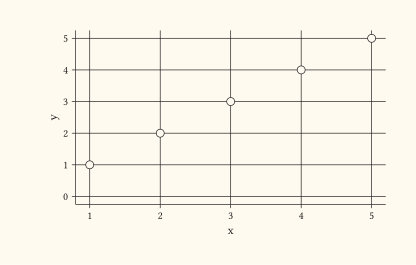
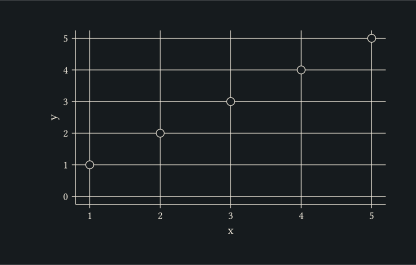
Force a y baseline at zero so positive observations sit above the axis floor.
#let d = range(1, 6).map(i => (x: i, y: i))
#plot(
  data: d,
  mapping: aes(x: "x", y: "y"),
  layers: (geom-point(size: 3pt),),
  scales: expand-limits(y: 0),
  width: 10cm,
  height: 6cm,
)
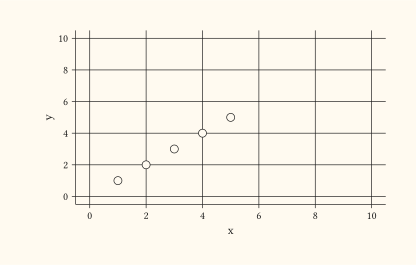
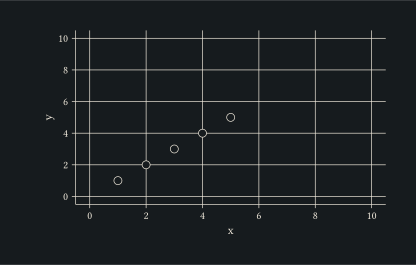
Pass arrays to extend both axes towards multiple targets at once, useful for highlighting a reference value.
#let d = range(1, 6).map(i => (x: i, y: i))
#plot(
  data: d,
  mapping: aes(x: "x", y: "y"),
  layers: (geom-point(size: 3pt),),
  scales: expand-limits(x: (0, 10), y: (0, 10)),
  width: 10cm,
  height: 6cm,
)