position-stack
Stack position adjustment: cumulate y per x bucket.
Stacking is per x bucket across all groups. Rows are sorted by the grouping aesthetic so the first alphabetic level sits at the top of the bar in cartesian coords (legend top entry = top band). Under any coord-radial the cumulation flips so the first alphabetic level becomes the first slice clockwise from 12 o’clock.
Typically set on a layer as position: "stack" rather than constructed directly; construct it to pick a streamgraph offset.
Usage
position-stack(
  offset: "none",
)
Parameters
| Parameter | Default | Description |
|---|---|---|
offset |
"none" |
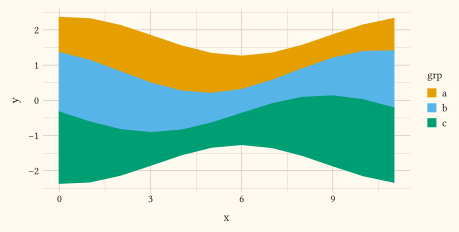
Baseline offset per x bucket. "none" (default) stacks from zero. "silhouette" centres each stack on zero (ThemeRiver). "wiggle" places each stack at the Byron-Wattenberg baseline that minimises the weighted wiggle of the layer boundaries, the classic streamgraph look. Both shifted offsets suit geom-area over a continuous x; neither is supported under coord-radial. |
Returns
Position dictionary with name: "stack", consumed by plot.
Examples
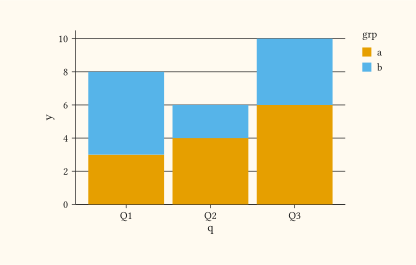
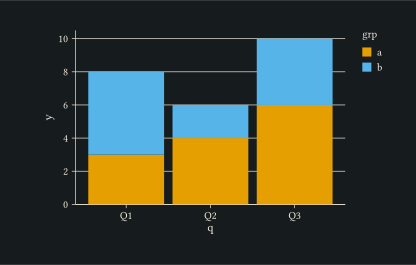
Two groups stacked per quarter to show component contribution to a total.
#let d = (
  (q: "Q1", grp: "a", y: 3),
  (q: "Q1", grp: "b", y: 5),
  (q: "Q2", grp: "a", y: 4),
  (q: "Q2", grp: "b", y: 2),
  (q: "Q3", grp: "a", y: 6),
  (q: "Q3", grp: "b", y: 4),
)
#plot(
  data: d,
  mapping: aes(x: "q", y: "y", fill: "grp"),
  layers: (geom-col(position: "stack"),),
  width: 10cm,
  height: 6cm,
)
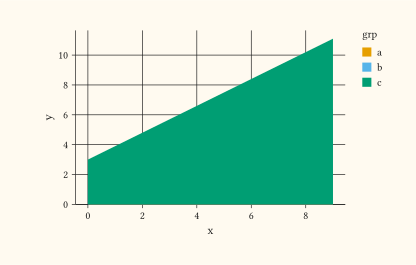
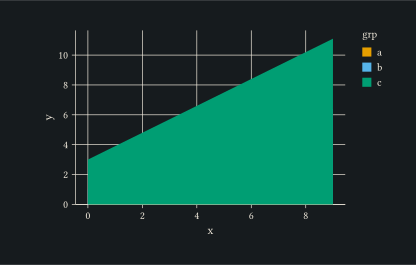
Stacked area chart over time, useful when the running total itself is informative.
#let d = ()
#for grp in ("a", "b", "c") {
  for i in range(0, 10) {
    d.push((x: i, y: i * 0.3 + (if grp == "b" { 1 } else if grp == "c" { 2 } else { 0 }), grp: grp))
  }
}
#plot(
  data: d,
  mapping: aes(x: "x", y: "y", fill: "grp"),
  layers: (geom-area(position: "stack", alpha: 0.6),),
  width: 10cm,
  height: 6cm,
)
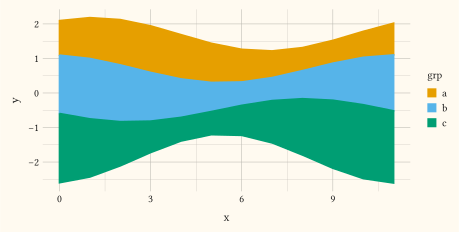
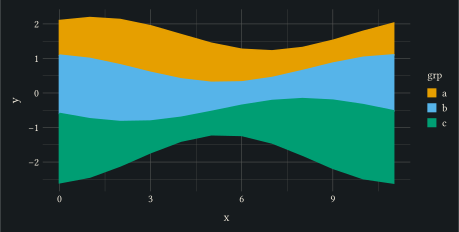
Silhouette offset: each stack centred on zero (ThemeRiver).
#let d = ()
#for (gi, grp) in ("a", "b", "c").enumerate() {
  for i in range(0, 12) {
    let wave = calc.sin(i * 0.55 + gi * 1.1) * (0.35 + gi * 0.2)
    d.push((x: i, y: 1 + gi * 0.2 + wave, grp: grp))
  }
}
#plot(
  data: d,
  mapping: aes(x: "x", y: "y", fill: "grp"),
  layers: (
    geom-area(position: position-stack(offset: "silhouette")),
  ),
  width: 12cm,
  height: 6cm,
)
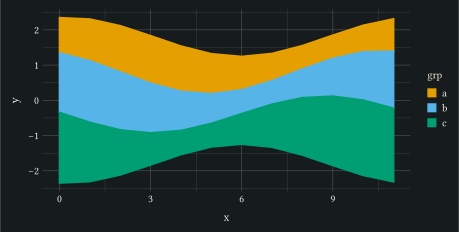
Wiggle offset: the baseline minimising boundary wiggle.
#let d = ()
#for (gi, grp) in ("a", "b", "c").enumerate() {
  for i in range(0, 12) {
    let wave = calc.sin(i * 0.55 + gi * 1.1) * (0.35 + gi * 0.2)
    d.push((x: i, y: 1 + gi * 0.2 + wave, grp: grp))
  }
}
#plot(
  data: d,
  mapping: aes(x: "x", y: "y", fill: "grp"),
  layers: (
    geom-area(position: position-stack(offset: "wiggle")),
  ),
  width: 12cm,
  height: 6cm,
)