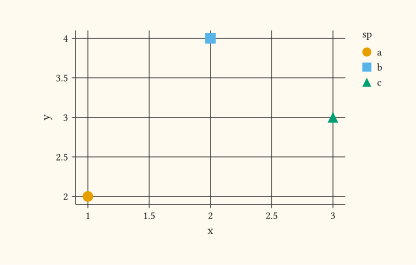
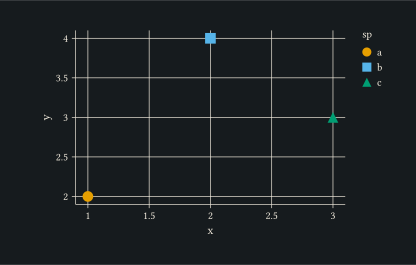
scale-shape
Discrete shape scale: maps levels to marker-shape keywords.
Pass a custom array of keywords via palette to override the default shape set.
Usage
scale-shape(
  name: none,
  palette: auto,
  limits: none,
  oob: "drop",
  labels: auto,
)
Parameters
| Parameter | Default | Description |
|---|---|---|
name |
none |
Legend title. Overrides any name set via labels when both are present. |
palette |
auto |
Array of shape keywords or literal-glyph characters, or auto for the library default. |
limits |
none |
Array of level names controlling order and inclusion, or none. |
oob |
"drop" |
Out-of-range policy: "drop" (default) removes rows whose value falls outside limits; "squish" clamps continuous values to the nearest endpoint. |
labels |
auto |
Array of legend labels aligned with limits, or auto. |
Returns
Scale object consumed by plot.
Examples
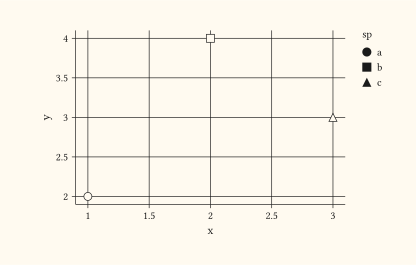
Default shape palette mapping three categories to distinct markers.
#let d = (
  (x: 1, y: 2, sp: "a"),
  (x: 2, y: 4, sp: "b"),
  (x: 3, y: 3, sp: "c"),
)
#plot(
  data: d,
  mapping: aes(x: "x", y: "y", shape: "sp"),
  layers: (geom-point(size: 3pt),),
  scales: (scale-shape(),),
  width: 10cm,
  height: 6cm,
)
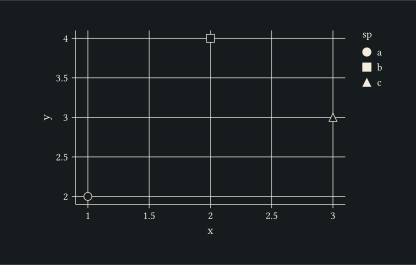
Pair shape and fill mappings with the same column to reinforce the categorical encoding.
#let d = (
  (x: 1, y: 2, sp: "a"),
  (x: 2, y: 4, sp: "b"),
  (x: 3, y: 3, sp: "c"),
)
#plot(
  data: d,
  mapping: aes(x: "x", y: "y", shape: "sp", fill: "sp"),
  layers: (geom-point(size: 4pt),),
  width: 10cm,
  height: 6cm,
)