geom-abline
Straight reference line described by slope and intercept.
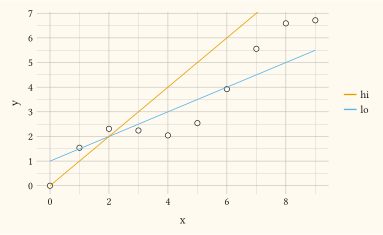
The line runs across the full trained x domain. Requires continuous x and y scales; discrete scales are skipped silently. To drive several lines from data, bind slope and/or intercept (and optionally colour, alpha, linewidth, linetype) through aes and pass data; one line is then drawn per row, with aesthetics resolved per row. Unlike geom-vline and geom-hline, mapped slope/intercept do not extend the trained scales.
Usage
geom-abline(
  mapping: none,
  data: none,
  slope: 1,
  intercept: 0,
  colour: auto,
  stroke: auto,
  alpha: auto,
  linetype: auto,
  key: auto,
  inherit-aes: false,
)
Parameters
| Parameter | Default | Description |
|---|---|---|
mapping |
none |
Aesthetic mapping built with aes. Bind slope and/or intercept to columns to draw a data-driven line per row. |
data |
none |
Layer-specific dataset for the mapped slope/intercept columns, or none. |
slope |
1 |
Line slope, used when slope is not mapped. |
intercept |
0 |
Line y intercept, used when intercept is not mapped. May be numeric or an ISO-8601 date/datetime/time string when a temporal y scale is active. |
colour |
auto |
Line colour. auto inherits the theme ink. |
stroke |
auto |
Line thickness (a Typst length). |
alpha |
auto |
Line opacity in [0, 1]. |
linetype |
auto |
Dash keyword (e.g., "solid", "dashed"). auto honours the linetype scale. |
key |
auto |
Legend glyph override built with a draw-key-* helper. auto picks the default for the geom. |
inherit-aes |
false |
Whether to merge the plot-level mapping into this layer’s mapping. Defaults to false. |
Returns
Layer dictionary consumed by plot.
Examples
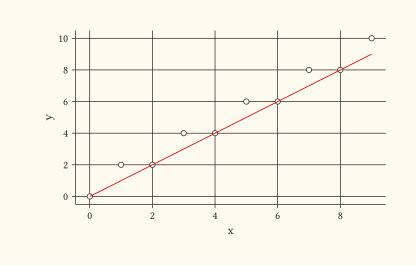
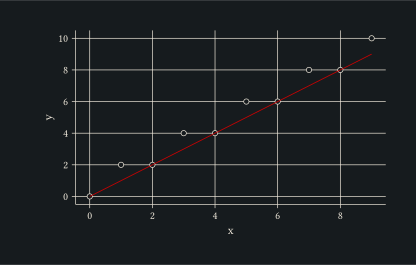
The y = x identity reference line over a noisy point cloud.
#let d = range(0, 10).map(i => (x: i, y: i + calc.rem(i, 2)))
#plot(
  data: d,
  mapping: aes(x: "x", y: "y"),
  layers: (
    geom-point(size: 2pt),
    geom-abline(slope: 1, intercept: 0, colour: rgb("#cc0000")),
  ),
  width: 10cm,
  height: 6cm,
)
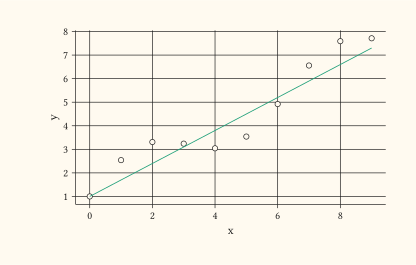
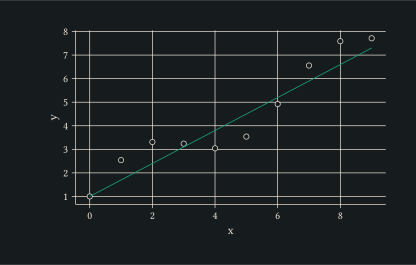
Adjust slope and intercept to anchor a custom regression reference.
#let d = range(0, 10).map(i => (x: i, y: 0.7 * i + 1 + calc.sin(i)))
#plot(
  data: d,
  mapping: aes(x: "x", y: "y"),
  layers: (
    geom-point(size: 2pt),
    geom-abline(slope: 0.7, intercept: 1, colour: rgb("#1b9e77")),
  ),
  width: 10cm,
  height: 6cm,
)
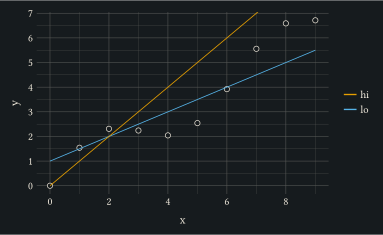
Drive several lines from data: bind slope, intercept and colour through aes so each fit row draws its own coloured line.
#let d = range(0, 10).map(i => (x: i, y: 0.7 * i + calc.sin(i)))
#let fits = (
  (m: 0.5, b: 1, fit: "lo"),
  (m: 1, b: 0, fit: "hi"),
)
#plot(
  data: d,
  mapping: aes(x: "x", y: "y"),
  layers: (
    geom-point(size: 2pt),
    geom-abline(mapping: aes(slope: "m", intercept: "b", colour: "fit"), data: fits),
  ),
  width: 10cm,
  height: 6cm,
)