element-geom
Layer-default aesthetics shared across geoms.
Pass the result to theme under the geom key to set defaults that the supporting geoms will pick up unless their own parameters override them. Mirrors plotnine’s element_geom(). fill and colour are global overrides that win for every supporting geom; ink, paper, accent are role colours that geoms fall back to when the global override is unset, with each geom declaring which role drives its default (ink for line/text geoms, accent for geom-smooth, paper for geom-boxplot/geom-crossbar/geom-point/geom-label, a colour-mix(ink, paper, …) tint for the bar/area/rect/tile family).
Usage
element-geom(
  fill: none,
  colour: none,
  linewidth: none,
  font: none,
  ink: none,
  paper: none,
  accent: none,
)
Parameters
| Parameter | Default | Description |
|---|---|---|
fill |
none |
Global override for every filled geom’s default fill colour. |
colour |
none |
Global override for every geom’s default stroke or text colour, including geom-smooth. |
linewidth |
none |
Default stroke thickness for line and outline geoms (Typst length). |
font |
none |
Default font family for the text-drawing geoms (geom-text, geom-label, geom-typst). Falls back to the base text element family, then the document font. |
ink |
none |
Geom ink role: default stroke/text colour for almost every geom and the dark stop of the bar/area body-fill tint. Falls back to theme.ink. |
paper |
none |
Geom paper role: default fill for geom-boxplot, geom-crossbar, geom-point, geom-label, and the light stop of the bar/area body-fill tint. Falls back to theme.paper. |
accent |
none |
Geom accent role: default colour for geom-smooth (when colour is unset). Falls back to theme.accent. |
Returns
Element dictionary consumed by theme.
Examples
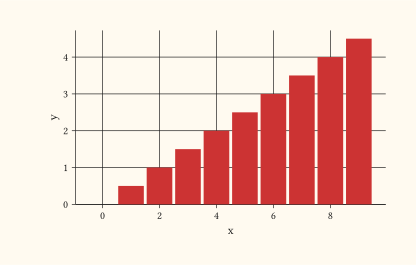
Pin a brand fill and bumped stroke thickness across the supporting geoms.
#let d = range(0, 10).map(i => (x: i, y: i * 0.5))
#plot(
  data: d,
  mapping: aes(x: "x", y: "y"),
  layers: (geom-col(),),
  theme: theme(geom: element-geom(
    fill: rgb("#cc3333"),
    linewidth: 1pt,
  )),
  width: 10cm,
  height: 6cm,
)
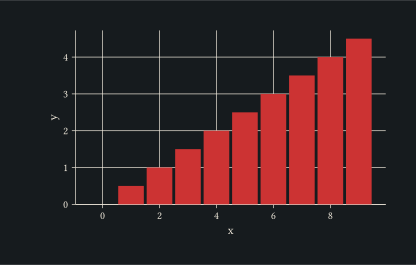
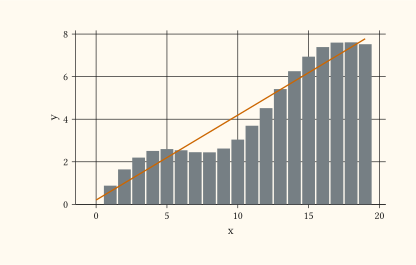
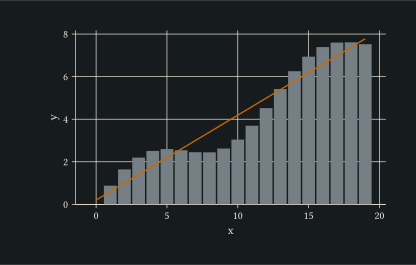
Shift the role colours so every unset default re-tints together: ink recolours stroke and text geoms and the dark stop of the bar fill; paper recolours boxplot/point/label fills and the light stop; accent recolours geom-smooth.
#let d = range(0, 20).map(i => (x: i, y: i * 0.4 + calc.sin(i * 0.5)))
#plot(
  data: d,
  mapping: aes(x: "x", y: "y"),
  layers: (geom-col(), geom-smooth(se: false)),
  theme: theme(geom: element-geom(
    ink: rgb("#2c3e50"),
    paper: rgb("#fff7e6"),
    accent: rgb("#cc6600"),
  )),
  width: 10cm,
  height: 6cm,
)
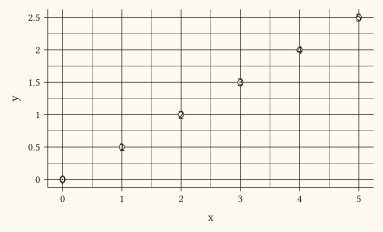
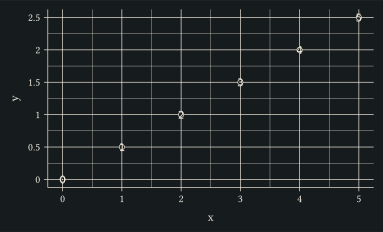
Set the font for the text-drawing geoms (geom-text, geom-label, geom-typst) without touching the axis or title surfaces.
#let d = range(0, 6).map(i => (x: i, y: i * 0.5))
#plot(
  data: d,
  mapping: aes(x: "x", y: "y"),
  layers: (geom-point(size: 2pt), geom-text(mapping: aes(label: "x"))),
  theme: theme(geom: element-geom(font: "DejaVu Sans Mono")),
  width: 10cm,
  height: 6cm,
)
See also
theme, element-text, element-line, element-rect, element-blank.