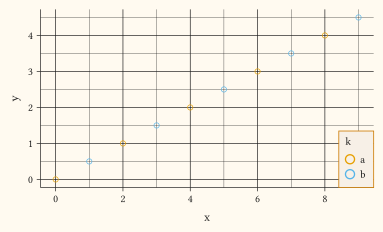
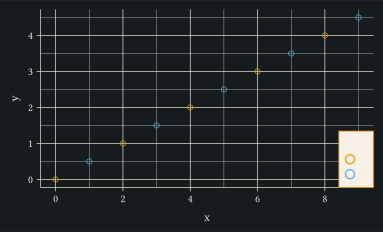
element-rect
Rectangle element: fill, outline colour, stroke thickness, and per-side margins. inset is honoured on plot-background (Typst block(inset:) pads the content inward, and grows the painted fill outward past it when a fill or stroke is set) and on legend-background (grows the legend rect outward from the guide-stack bbox so the rectangle frames the legend with extra inner padding). panel-background and legend-bar ignore inset so the rect cannot bleed onto neighbours. outset reserves outer whitespace by widening the chrome slot on panel-background, legend-background, and legend-bar; on plot-background it wraps the rendered block in pad(...). On legend-background, the panel-facing outset side also widens the visible gap between panel and legend. On plot-background, both inset and outset apply whether or not a fill or stroke is set, so they reserve plot padding on their own. strip-background ignores both fields – the facet band has no surrounding slot to grow or reserve into. On legend-background, inset only grows a rect that actually paints (a fill or a stroke is set); an inside-panel guide additionally keeps its painted rect, plus any outset, within the panel rather than letting it overflow past an edge-flush alignment. A guide on a plot side reserves that growth in its chrome slot, so the backdrop stays inside the requested width / height there too.
Pass the result to theme under keys like panel-background.
Usage
element-rect(
  fill: none,
  colour: none,
  stroke: none,
  inset: (kind: "margin", top: 5pt, right: 5pt, bottom: 5pt, left: 5pt),
  outset: none,
)
Parameters
| Parameter | Default | Description |
|---|---|---|
fill |
none |
Rectangle fill colour, or none to inherit. |
colour |
none |
Outline colour, or none to inherit. |
stroke |
none |
Outline thickness. Either an absolute Typst length (e.g., 1pt), a ratio (e.g., 80%) scaling the parent surface stroke, or none for no outline. Ratios with no absolute ancestor resolve against the default thickness. The native 1pt + red form is also accepted: its paint fills in colour unless colour is set. |
inset |
(kind: "margin", top: 5pt, right: 5pt, bottom: 5pt, left: 5pt) |
Inner padding margin honoured by plot-background and legend-background (grows the painted rect outward), or none. Ignored on panel-background, strip-background, and legend-bar. |
outset |
none |
Outer margin margin reserving outer whitespace (panel canvas shrinks on cetz surfaces; the rendered block is wrapped in pad(...) on plot-background), or none. Ignored on strip-background. |
Returns
Element dictionary consumed by theme.
Examples
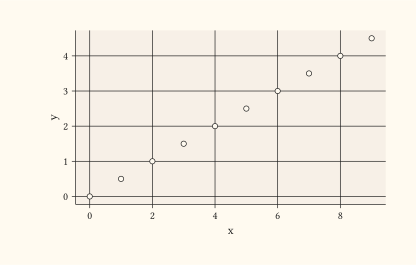
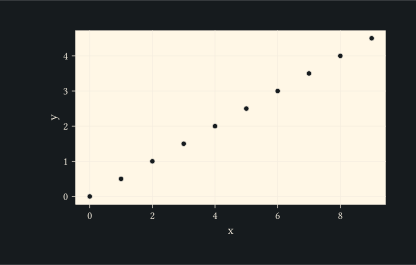
Tinted panel background via theme.
#let d = range(0, 10).map(i => (x: i, y: i * 0.5))
#plot(
  data: d,
  mapping: aes(x: "x", y: "y"),
  layers: (geom-point(size: 2pt),),
  theme: theme(panel-background: element-rect(fill: rgb("#f7f0e7"))),
  width: 10cm,
  height: 6cm,
)
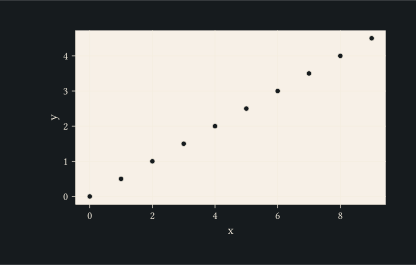
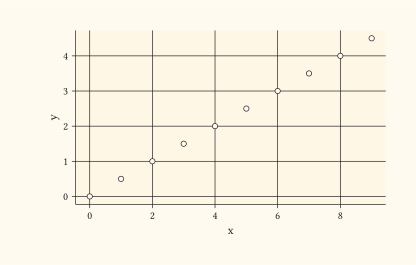
Add a stroke to frame the panel as well as fill it.
#let d = range(0, 10).map(i => (x: i, y: i * 0.5))
#plot(
  data: d,
  mapping: aes(x: "x", y: "y"),
  layers: (geom-point(size: 2pt),),
  theme: theme(panel-background: element-rect(
    fill: rgb("#fff7e6"),
    colour: rgb("#cc7a00"),
    stroke: 1pt,
  )),
  width: 10cm,
  height: 6cm,
)
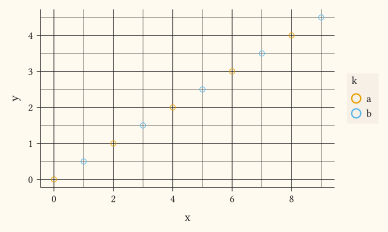
Pad a legend background so its tinted rectangle frames the guide content with breathing room (inner padding).
#let d = range(0, 10).map(i => (x: i, y: i * 0.5, k: if calc.rem(i, 2) == 0 { "a" } else { "b" }))
#plot(
  data: d,
  mapping: aes(x: "x", y: "y", colour: "k"),
  layers: (geom-point(size: 2pt),),
  theme: theme(legend-background: element-rect(
    fill: rgb("#f7f0e7"),
    inset: margin(top: 0.3em, right: 0.4em, bottom: 0.3em, left: 0.4em),
  )),
  width: 10cm,
  height: 6cm,
)
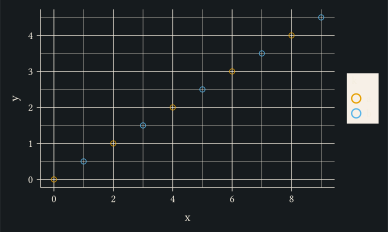
An inside-panel legend keeps its painted background within the panel even flush against a corner.
#let d = range(0, 10).map(i => (x: i, y: i * 0.5, k: if calc.rem(i, 2) == 0 { "a" } else { "b" }))
#plot(
  data: d,
  mapping: aes(x: "x", y: "y", colour: "k"),
  layers: (geom-point(size: 2pt),),
  guides: guides(colour: guide-legend(position: bottom + right)),
  theme: theme(legend-background: element-rect(
    fill: rgb("#f7f0e7"),
    colour: rgb("#cc7a00"),
    stroke: 0.6pt,
  )),
  width: 10cm,
  height: 6cm,
)