stat-count
Count statistic: one output row per distinct x level with y = count.
Empty strings and none x values are dropped. Output rows preserve the first-seen order of x levels.
Usage
stat-count()Returns
Statistic object with name: "count", consumed by geom layers.
Outputs
x._count.
Examples
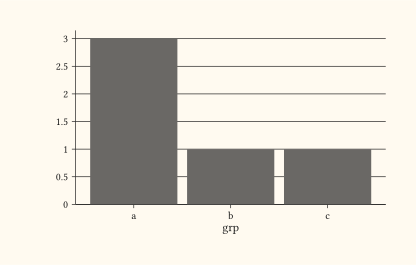
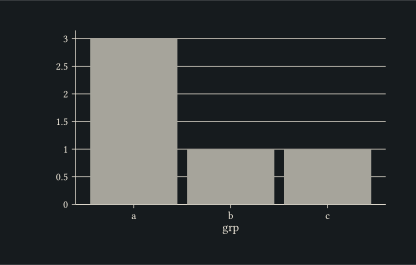
Count rows per category, drawn as bars via geom-bar.
#let d = (
  (grp: "a"),
  (grp: "b"),
  (grp: "a"),
  (grp: "c"),
  (grp: "a"),
)
#plot(
  data: d,
  mapping: aes(x: "grp"),
  layers: (geom-bar(),),
  width: 10cm,
  height: 6cm,
)
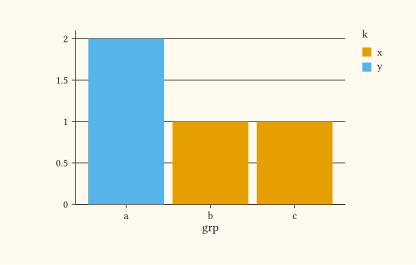
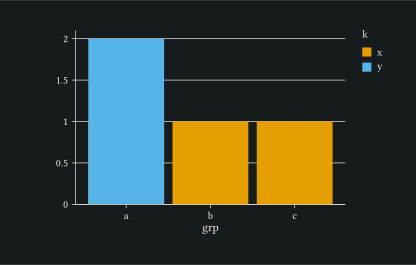
Constructor form: stat: stat-count() is equivalent to stat: "count" with defaults. Both forms honour fill grouping identically.
#let d = (
  (grp: "a", k: "x"),
  (grp: "b", k: "x"),
  (grp: "a", k: "y"),
  (grp: "c", k: "x"),
  (grp: "a", k: "y"),
)
#plot(
  data: d,
  mapping: aes(x: "grp", fill: "k"),
  layers: (geom-col(stat: stat-count()),),
  width: 10cm,
  height: 6cm,
)