as-factor
Coerce a column to string factors, or tag an aesthetic as discrete.
Two call forms: when given (data, col) it returns a new dataset with col stringified in every row; when given (col) alone it returns a mapping-ref annotation that aes accepts in place of a column name, forcing the scale system to treat that channel as discrete.
Usage
as-factor(data, col)as-factor(col)Arities
as-factor(data, col): Return a new dataset withcolcoerced to strings (preservingnone).as-factor(col): Return amapping-refdict taggingcolas discrete foraes.
Parameters
| Parameter | Default | Description |
|---|---|---|
..args |
Either (data, col) or (col). See arities. |
Returns
New dataset (2-arg) or mapping-ref dict (1-arg).
Examples
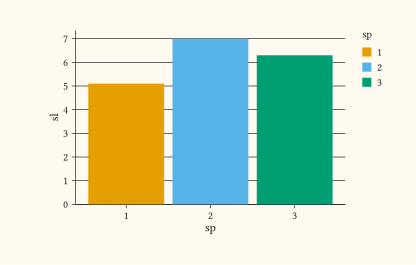
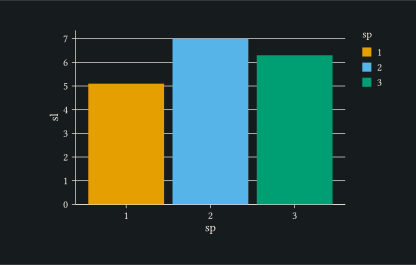
One-arg form tags the column as discrete inline in aes, useful when a numeric column should be treated as categorical without rewriting the dataset.
#let iris = (
  (sl: 5.1, sp: 1),
  (sl: 7.0, sp: 2),
  (sl: 6.3, sp: 3),
)
#plot(
  data: iris,
  mapping: aes(x: as-factor("sp"), y: "sl", fill: as-factor("sp")),
  layers: (geom-col(),),
  width: 10cm,
  height: 6cm,
)
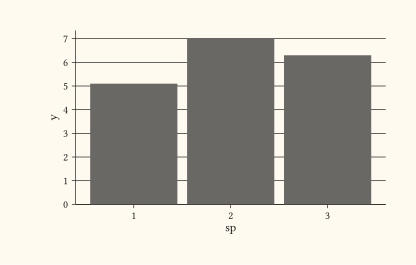
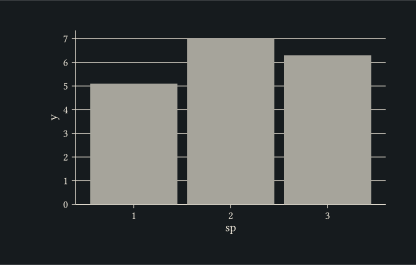
Two-arg form rewrites the column to strings, useful as a one-shot pre-processing step.
#let raw = (
  (sp: 1, y: 5.1),
  (sp: 2, y: 7.0),
  (sp: 3, y: 6.3),
)
#let d = as-factor(raw, "sp")
#plot(
  data: d,
  mapping: aes(x: "sp", y: "y"),
  layers: (geom-col(),),
  width: 10cm,
  height: 6cm,
)