as-numeric
Coerce a column to numeric, or tag an aesthetic as continuous.
Two call forms: when given (data, col) it returns a new dataset with col parsed as a number in every row; when given (col) alone it returns a mapping-ref annotation that aes accepts in place of a column name, forcing the scale system to treat that channel as continuous.
(a bare value is wrapped to a single-entry list) becomes none before parsing, so string placeholders such as "NA" or "-99" do not survive as spurious numbers. String cells are compared with surrounding whitespace trimmed, matching parse-number, so a padded " -99 " still matches the sentinel "-99"; pass sentinels without padding. Equality is type-sensitive: a native -99 cell matches the sentinel -99, not "-99". Applies to the two-arg form only (the one-arg tag form ignores it).
Usage
as-numeric(data, col)as-numeric(col)Arities
as-numeric(data, col): Return a new dataset withcolconverted to numbers viaparse-number.as-numeric(col): Return amapping-refdict taggingcolas continuous foraes.
Parameters
| Parameter | Default | Description |
|---|---|---|
..args |
Either (data, col) or (col). See arities. |
|
na |
() |
Sentinel values treated as missing: a cell equal to any entry |
Returns
New dataset (2-arg) or mapping-ref dict (1-arg).
Examples
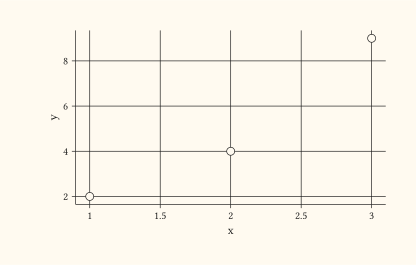
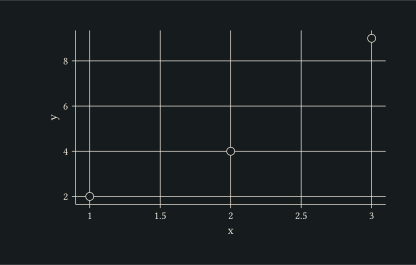
Two-arg form rewrites a column with parsed numbers; useful when the data arrived as strings.
#let raw = (
  (x: "1", y: 2.0),
  (x: "2", y: 4.0),
  (x: "3", y: 9.0),
)
#let d = as-numeric(raw, "x")
#plot(
  data: d,
  mapping: aes(x: "x", y: "y"),
  layers: (geom-point(size: 3pt),),
  width: 10cm,
  height: 6cm,
)
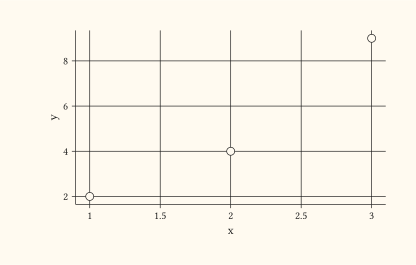
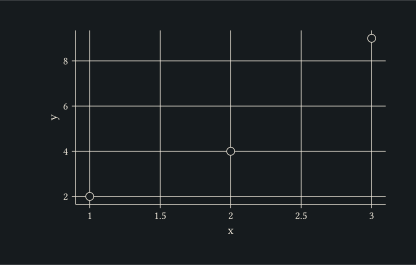
One-arg form tags the column inside aes so the scale picks continuous semantics without rewriting the dataset.
#let raw = (
  (x: 1, y: 2.0),
  (x: 2, y: 4.0),
  (x: 3, y: 9.0),
)
#plot(
  data: raw,
  mapping: aes(x: as-numeric("x"), y: "y"),
  layers: (geom-point(size: 3pt),),
  width: 10cm,
  height: 6cm,
)
Two-arg form with na: maps the missing-value placeholders to none before parsing, leaving genuine numbers intact.
#let raw = ((x: "1"), (x: "NA"), (x: "-99"), (x: "3"))
#let d = as-numeric(raw, "x", na: ("NA", "-99"))
// d is ((x: 1.0), (x: none), (x: none), (x: 3.0))