theme-sub-axis
Shortcut for both axes’ title, text, line, and ticks.
Usage
theme-sub-axis(
  title: none,
  text: none,
  line: none,
  ticks: none,
)
Parameters
| Parameter | Default | Description |
|---|---|---|
title |
none |
element-text or element-typst for axis-title. |
text |
none |
element-text or element-typst for axis-text. |
line |
none |
element-line or element-blank for axis-line. |
ticks |
none |
element-tick or element-blank for axis-ticks. |
Returns
Theme dictionary with the named overrides applied.
Examples
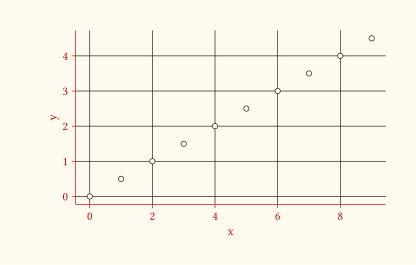
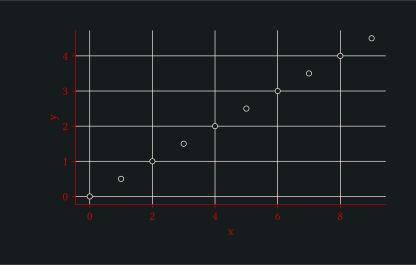
Red ink on every axis title and tick label, mirrored on the axis line and tick marks.
#let red-text = element-text(colour: rgb("#cc0000"))
#let red-line = element-line(colour: rgb("#cc0000"))
#let d = range(0, 10).map(i => (x: i, y: i * 0.5))
#plot(
  data: d,
  mapping: aes(x: "x", y: "y"),
  layers: (geom-point(size: 2pt),),
  theme: theme-sub-axis(
    title: red-text,
    text: red-text,
    line: red-line,
    ticks: red-line,
  ),
  width: 10cm,
  height: 6cm,
)