facet-wrap
Wrap facets: one panel per level of a discrete variable.
Panels are arranged into a grid of ncolumn columns (or nrow rows when ncolumn is none).
Usage
facet-wrap(
  variable,
  ncolumn: none,
  nrow: none,
  scales: "fixed",
  labeller: label-value(),
  gutter: auto,
  axes: "margins",
)
Parameters
| Parameter | Default | Description |
|---|---|---|
variable |
Name of the discrete column whose levels drive the panels. | |
ncolumn |
none |
Number of columns in the panel grid, or none for automatic. |
nrow |
none |
Number of rows in the panel grid, or none for automatic. |
scales |
"fixed" |
Scale policy. One of "fixed" (default, every panel shares both axes), "free" (each panel trains x and y on its own subset), "free_x" (only x is per-panel), or "free_y" (only y is per-panel). Non-positional scales (colour, fill, size, shape, linetype) are always shared so legends stay consistent. An explicit coord-cartesian(x-limits:, y-limits:) overrides the per-panel domain on the corresponding axis, pinning every panel to the same range. |
labeller |
label-value() |
Labeller controlling strip text. Defaults to label-value() which shows the level as-is. |
gutter |
auto |
Spacing between panels. A length (e.g., 0.5cm) applies to both axes, or a dictionary (x:, y:) sets the column and row gaps independently. auto (default) inherits theme(panel-spacing:). |
axes |
"margins" |
Which panels draw their own positional axes. One of "margins" (default; outer edge plus any panel whose neighbour slot is empty), "all_x" (every panel draws bottom and top x axes), "all_y" (every panel draws left and right y axes), or "all" (every panel draws both). Independent of scales: with the default "margins", a panel above an empty trailing slot still gets a bottom x axis. |
Returns
Facet dictionary consumed by plot.
Examples
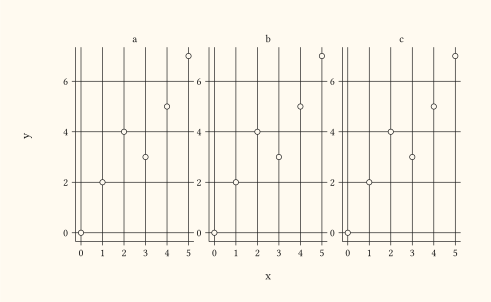
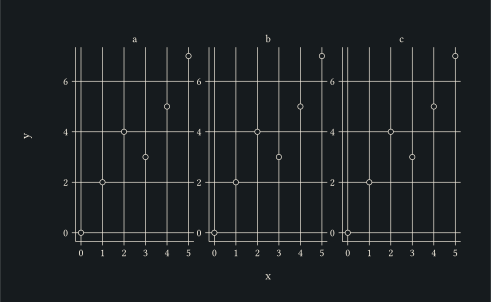
One panel per level of sp, three columns, with each panel training y independently.
#let d = ()
#for sp in ("a", "b", "c") {
  for i in range(0, 6) {
    d.push((sp: sp, x: i, y: i + calc.rem(i, 3)))
  }
}
#plot(
  data: d,
  mapping: aes(x: "x", y: "y"),
  layers: (geom-point(size: 2pt),),
  facet: facet-wrap("sp", ncolumn: 3, scales: "free_y"),
  width: 12cm,
  height: 7cm,
)
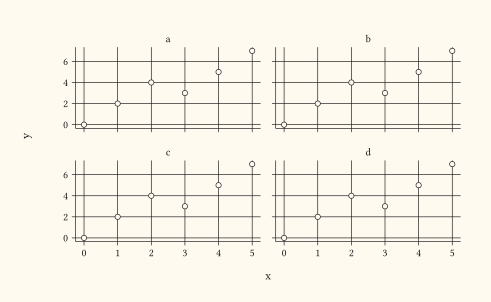
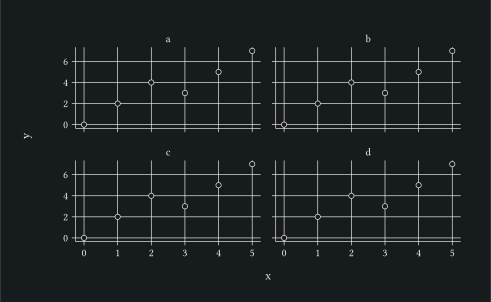
Default scales: "fixed" shares both axes across panels; useful when you want comparable scales side by side.
#let d = ()
#for sp in ("a", "b", "c", "d") {
  for i in range(0, 6) {
    d.push((sp: sp, x: i, y: i + calc.rem(i, 3)))
  }
}
#plot(
  data: d,
  mapping: aes(x: "x", y: "y"),
  layers: (geom-point(size: 2pt),),
  facet: facet-wrap("sp", nrow: 2),
  width: 12cm,
  height: 7cm,
)
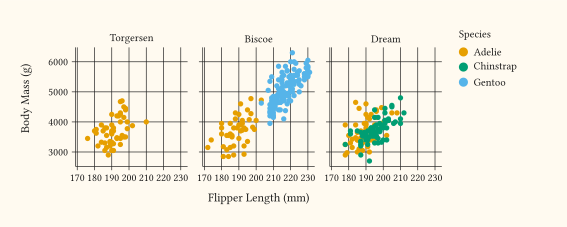
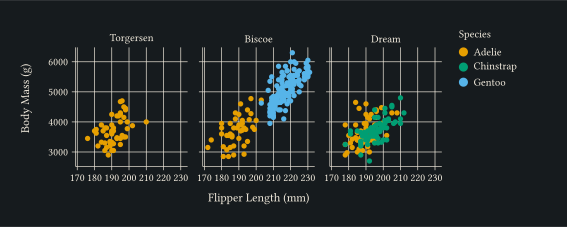
One panel per penguin island, sharing axes so the species clusters can be compared visually across panels.
#plot(
  data: penguins,
  mapping: aes(
    x: "flipper-len",
    y: "body-mass",
    fill: "species",
  ),
  layers: (geom-point(size: 2pt, alpha: 0.85),),
  facet: facet-wrap("island", ncolumn: 3),
  labels: labels(x: "Flipper Length (mm)", y: "Body Mass (g)", fill: "Species"),
  width: 14cm,
  height: 5cm,
)