aes
Bind column names to visual channels to form an aesthetic mapping.
Aesthetic mappings tell plot how to turn data columns into visual properties: which column drives the x axis, which becomes a colour, etc. Pass the result as the mapping argument of plot or any geom layer.
Channel values can also be late-binding markers that defer resolution past the point where a column was first bound:
- Use
from-themeto pull a scalar from the active theme. - Use
after-statto substitute a column or closure result published by the layer’s stat. - Use
after-scaleto post-transform a channel’s scale-resolved value just before draw. - Use
stageto compose all three lanes for a single channel.
Usage
aes(
  x: none,
  y: none,
  colour: none,
  fill: none,
  size: none,
  alpha: none,
  linewidth: none,
  group: none,
  shape: none,
  linetype: none,
  label: none,
  xmin: none,
  xmax: none,
  ymin: none,
  ymax: none,
  xend: none,
  yend: none,
  xintercept: none,
  yintercept: none,
  slope: none,
  intercept: none,
  weight: none,
  stroke: none,
  x0: none,
  y0: none,
  a: none,
  b: none,
  angle: none,
  radius: none,
  height: none,
  z: none,
  nudge-x: none,
  nudge-y: none,
)
Parameters
| Parameter | Default | Description |
|---|---|---|
x |
none |
Column name for the x position. |
y |
none |
Column name for the y position. |
colour |
none |
Column name driving the stroke colour. |
fill |
none |
Column name driving the fill colour. |
size |
none |
Column name driving marker or line size. |
alpha |
none |
Column name driving opacity. |
linewidth |
none |
Column name driving line stroke thickness. |
group |
none |
Column name used to partition layers that connect observations. |
shape |
none |
Column name driving marker shape. |
linetype |
none |
Column name driving line dash pattern. |
label |
none |
Column name used by geom-text and geom-label. |
xmin |
none |
Column name for the lower x bound (ribbons, error bars). |
xmax |
none |
Column name for the upper x bound. |
ymin |
none |
Column name for the lower y bound. |
ymax |
none |
Column name for the upper y bound. |
xend |
none |
Column name for the x end point of a segment. |
yend |
none |
Column name for the y end point of a segment. |
xintercept |
none |
Column name or scalar for vertical reference lines. |
yintercept |
none |
Column name or scalar for horizontal reference lines. |
slope |
none |
Slope for oblique reference lines (geom-abline). |
intercept |
none |
Intercept for oblique reference lines. |
weight |
none |
Column name carrying per-row statistical weights. |
stroke |
none |
Column name driving marker outline thickness (geom-point). |
x0 |
none |
Column name for the x centre of an ellipse (geom-ellipse). |
y0 |
none |
Column name for the y centre of an ellipse. |
a |
none |
Column name for the ellipse semi-major radius in data units. |
b |
none |
Column name for the ellipse semi-minor radius in data units. |
angle |
none |
Column name for the ellipse rotation in radians (geom-ellipse) or the spoke direction in radians (geom-spoke). |
radius |
none |
Column name for the spoke length in data units (geom-spoke). |
height |
none |
Column name for the ridge height above its baseline (geom-density-ridges). |
z |
none |
Column name for the value summarised over a 2D grid (stat-summary-2d, stat-summary-hex). |
nudge-x |
none |
Column name or scalar x offset for text/label/typst geoms. A number shifts in data units; a Typst length (e.g., 4pt, 0.2cm) shifts in canvas units. |
nudge-y |
none |
Column name or scalar y offset for text/label/typst geoms. A number shifts in data units; a Typst length (e.g., 4pt, 0.2cm) shifts in canvas units. |
Returns
Dictionary tagged kind: "aes", consumed by plot and geom layers.
Examples
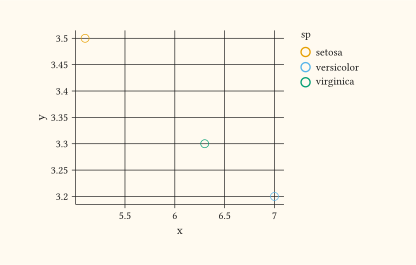
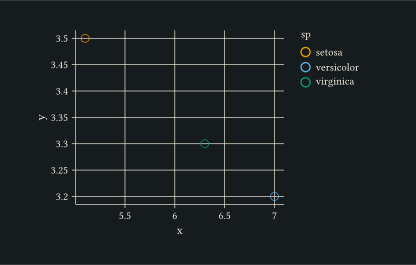
Bind three columns: x, y, and a categorical colour.
#let iris = (
  (x: 5.1, y: 3.5, sp: "setosa"),
  (x: 7.0, y: 3.2, sp: "versicolor"),
  (x: 6.3, y: 3.3, sp: "virginica"),
)
#plot(
  data: iris,
  mapping: aes(x: "x", y: "y", colour: "sp"),
  layers: (geom-point(size: 3pt),),
  width: 10cm,
  height: 6cm,
)
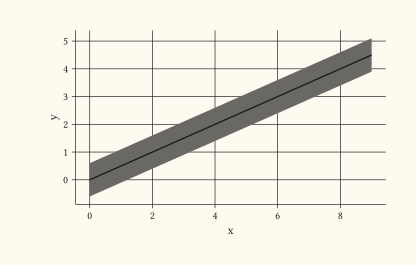
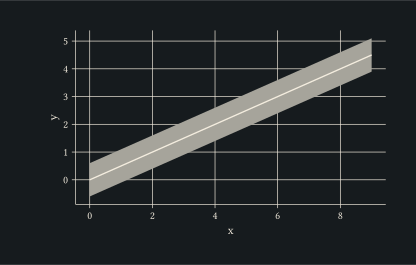
Bind ribbon endpoints (ymin, ymax) alongside a centre line, sharing the same x between the two layers.
#let d = range(0, 10).map(i => (
  x: i, y: i * 0.5, lo: i * 0.5 - 0.6, hi: i * 0.5 + 0.6,
))
#plot(
  data: d,
  mapping: aes(x: "x", y: "y", ymin: "lo", ymax: "hi"),
  layers: (
    geom-ribbon(alpha: 0.3),
    geom-line(stroke: 1pt),
  ),
  width: 10cm,
  height: 6cm,
)
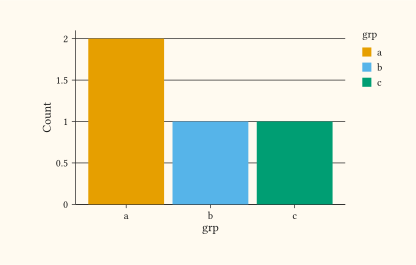
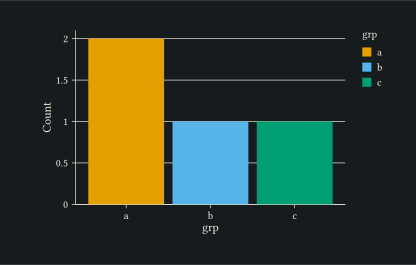
Bind y to the count column the stat publishes via after-stat.
#let d = ((grp: "a"), (grp: "b"), (grp: "a"), (grp: "c"))
#plot(
  data: d,
  mapping: aes(x: "grp", y: after-stat("_count"), fill: "grp"),
  layers: (geom-bar(),),
  width: 10cm,
  height: 6cm,
)
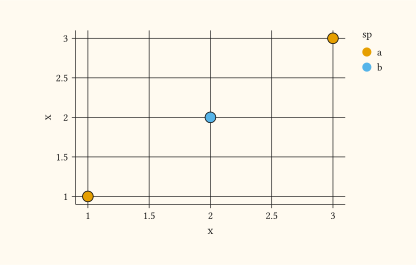
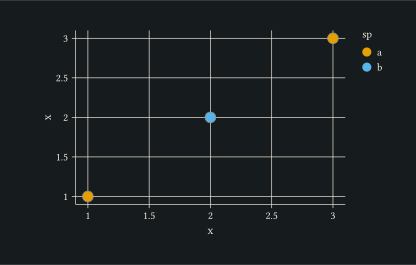
Darken the marker outline from the trained fill palette via after-scale.
#let d = ((x: 1, sp: "a"), (x: 2, sp: "b"), (x: 3, sp: "a"))
#plot(
  data: d,
  mapping: aes(
    x: "x",
    y: "x",
    fill: "sp",
    colour: stage(
      start: "sp",
      after-scale: (c, _) => c.darken(40%),
    ),
  ),
  layers: (geom-point(size: 4pt, stroke: 0.6pt),),
  width: 10cm,
  height: 6cm,
)
See also
plot, geom-point, as-factor, from-theme, after-stat, after-scale, stage.