geom-jitter
Scatter layer with position-jitter applied by default.
All other parameters mirror geom-point.
Usage
geom-jitter(
  mapping: none,
  data: none,
  size: auto,
  stroke: auto,
  fill: auto,
  colour: auto,
  alpha: auto,
  shape: auto,
  stat: "identity",
  position: "jitter",
  key: auto,
  inherit-aes: true,
)
Parameters
| Parameter | Default | Description |
|---|---|---|
mapping |
none |
Layer-specific aesthetic mapping built with aes. Falls back to the plot mapping when none. |
data |
none |
Layer-specific dataset, or a function applied to the plot data returning the layer frame. Falls back to the plot data when none. |
size |
auto |
Marker size (a Typst length). |
stroke |
auto |
Marker outline thickness; none disables the outline and the colour aesthetic. |
fill |
auto |
Marker body fill. auto resolves via the fill scale or a neutral default. |
colour |
auto |
Fixed marker outline colour. auto resolves via the colour scale, falling back to the theme ink. |
alpha |
auto |
Marker opacity in [0, 1]. |
shape |
auto |
Marker shape keyword. |
stat |
"identity" |
Statistical transform name. |
position |
"jitter" |
Position adjustment name. Defaults to "jitter". |
key |
auto |
Legend glyph override built with a draw-key-* helper. auto picks the default for the geom. |
inherit-aes |
true |
Whether to merge the plot-level mapping into this layer’s mapping. |
Returns
Layer dictionary consumed by plot.
Examples
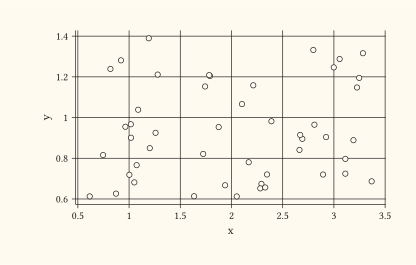
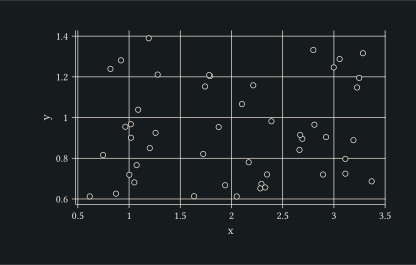
Spread overlapping points with the default jitter amount.
#let d = ()
#for x in (1, 2, 3) {
  for _ in range(0, 16) { d.push((x: x, y: 1)) }
}
#plot(
  data: d,
  mapping: aes(x: "x", y: "y"),
  layers: (geom-jitter(size: 2pt),),
  width: 10cm,
  height: 6cm,
)
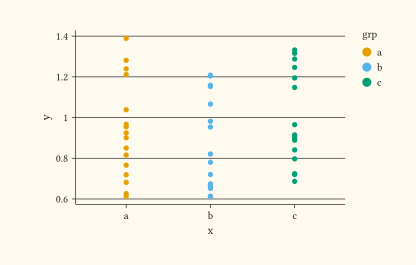
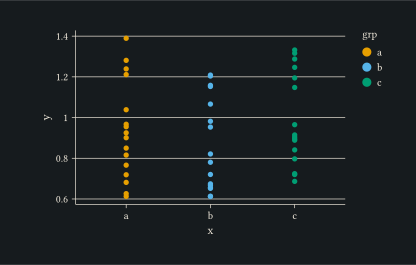
Map fill so each jittered cluster is visually distinct.
#let d = ()
#for grp in ("a", "b", "c") {
  for _ in range(0, 16) { d.push((x: grp, y: 1, grp: grp)) }
}
#plot(
  data: d,
  mapping: aes(x: "x", y: "y", fill: "grp"),
  layers: (geom-jitter(size: 2pt),),
  width: 10cm,
  height: 6cm,
)