scale-size-area
Area-proportional continuous size scale.
Maps each value through the square root of its normalised position so the drawn marker area, rather than its diameter, scales linearly with the data. This is the perceptually neutral default when the visual quantity of interest is a count or magnitude.
Usage
scale-size-area(
  name: none,
  range: (1pt, 6pt),
  limits: none,
  oob: "drop",
  breaks: auto,
  labels: auto,
)
Parameters
| Parameter | Default | Description |
|---|---|---|
name |
none |
Legend title. Overrides any name set via labels when both are present. |
range |
(1pt, 6pt) |
Pair of Typst lengths (min, max) bounding the output size. |
limits |
none |
Pair (lo, hi) clipping the trained domain, or none. |
oob |
"drop" |
Out-of-range policy: "drop" (default) removes rows whose value falls outside limits; "squish" clamps continuous values to the nearest endpoint. |
breaks |
auto |
Array of break values for the legend, or auto. |
labels |
auto |
Array of legend labels aligned with breaks, or auto. |
Returns
Scale object consumed by plot.
Examples
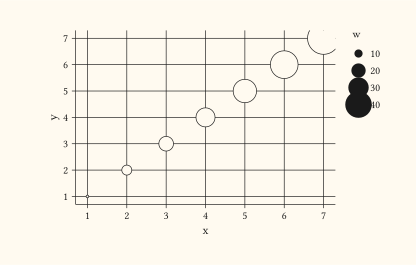
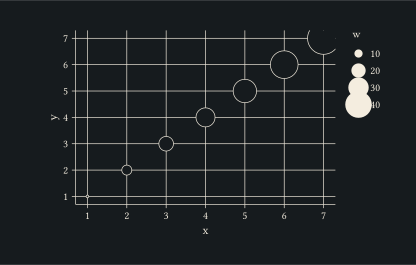
Area-proportional sizing on a quadratic series; markers grow with the square root of w so visual area tracks the value.
#let d = range(1, 8).map(i => (x: i, y: i, w: i * i))
#plot(
  data: d,
  mapping: aes(x: "x", y: "y", size: "w"),
  layers: (geom-point(),),
  scales: (scale-size-area(range: (1pt, 12pt)),),
  width: 10cm,
  height: 6cm,
)
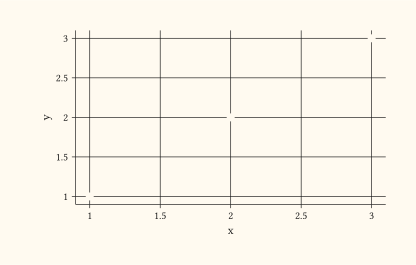
Use scale-size-area with geom-count so the count of duplicate (x, y) rows reads as proportional area.
#let d = (
  (x: 1, y: 1), (x: 1, y: 1),
  (x: 2, y: 2),
  (x: 3, y: 3), (x: 3, y: 3), (x: 3, y: 3), (x: 3, y: 3),
)
#plot(
  data: d,
  mapping: aes(x: "x", y: "y"),
  layers: (geom-count(),),
  scales: (scale-size-area(range: (2pt, 14pt)),),
  width: 10cm,
  height: 6cm,
)